Using AI on client files without sending them anywhere
Picture the owner of a six-person accounting firm. She has a stack of client contracts and her own financial notes, and she wants an AI tool to summarize them before Monday meetings. Then she stops with the cursor over the paste box and asks: where does this text go, and who can read it afterward?
She is not alone in hesitating, or in pasting anyway. Cyberhaven's 2026 report, drawn from 222 companies, found that 39.7% of AI-tool interactions involved sensitive data, and 32.3% of ChatGPT use ran through personal accounts. In 2023, a Samsung engineer uploaded internal source code to ChatGPT, and the company restricted generative AI use.
Private AI is the answer to her question, and it comes in steps. The first rung is privacy settings in mainstream tools, then business plans with contractual protections, then private cloud or self-hosted models, and finally AI running on your own device. Local gives the strongest privacy, because prompts and files never leave your machine. It also costs capability and puts security on you, so the right rung depends on the situation.
What private AI is and how it differs from the free chatbot
Private AI is AI that runs where you or your organization keep meaningful control over the data and the processing, instead of relying only on a shared public service. The model, prompts, uploaded files and outputs stay inside boundaries you set. Public AI, such as the free version of ChatGPT, runs on the vendor's servers under the vendor's terms.
| Public AI (free chatbot) | Private AI | |
|---|---|---|
| Who holds the data | The vendor | You or your organization |
| Who can see prompts | The vendor, its staff and subprocessors | Whoever you grant access |
| Training use | Depends on plan and settings | Your decision |
| Control | Vendor sets retention and terms | You set them |
The benefits follow from that table: confidentiality for client material, control over where data lives and how long it stays, and no chance that your prompts feed someone else's model.
Finance, healthcare and government care most because they hold sensitive data, owe confidentiality to clients or patients, and face residency rules. The European Data Protection Board has expanded its task force work to cover generative AI enforcement.

Private is a spectrum. It runs from settings inside public services, through enterprise deployments with contractual controls, to local or self-hosted models. Private also does not mean secure. Privacy is about who can see your data, while security is about whether the system holding it can be breached. A private setup on a poorly protected laptop or server can still leak, and each rung shifts who is responsible for both.
Six ways a cloud AI service can expose your client's contract
Say the firm pastes a client contract into a cloud chatbot. The text now sits on the vendor's servers, and six things can happen to it. Each depends on the provider and the plan, and none is guaranteed misuse. Policies change, so treat the figures below as a snapshot.
Retention. With Gemini's History setting on (formerly Keep Activity), chats are stored in your Google Account, and the default auto-delete is 18 months. With History off, Google says chats are still kept for around two months. Anthropic states a 30-day retention period for new Claude chats if you decline model improvement.
Training. ChatGPT consumer conversations may be used to improve models by default, depending on your settings. Claude consumer accounts that opt in have data retained for five years. Those terms cover Free, Pro and Max, not Team, Enterprise or API.
Human review. Anthropic says no staff can read retained conversations by default, and review happens only when automated systems flag content. Google says chats selected for review may be kept up to three years, separated from your account and unaffected by deleting activity.
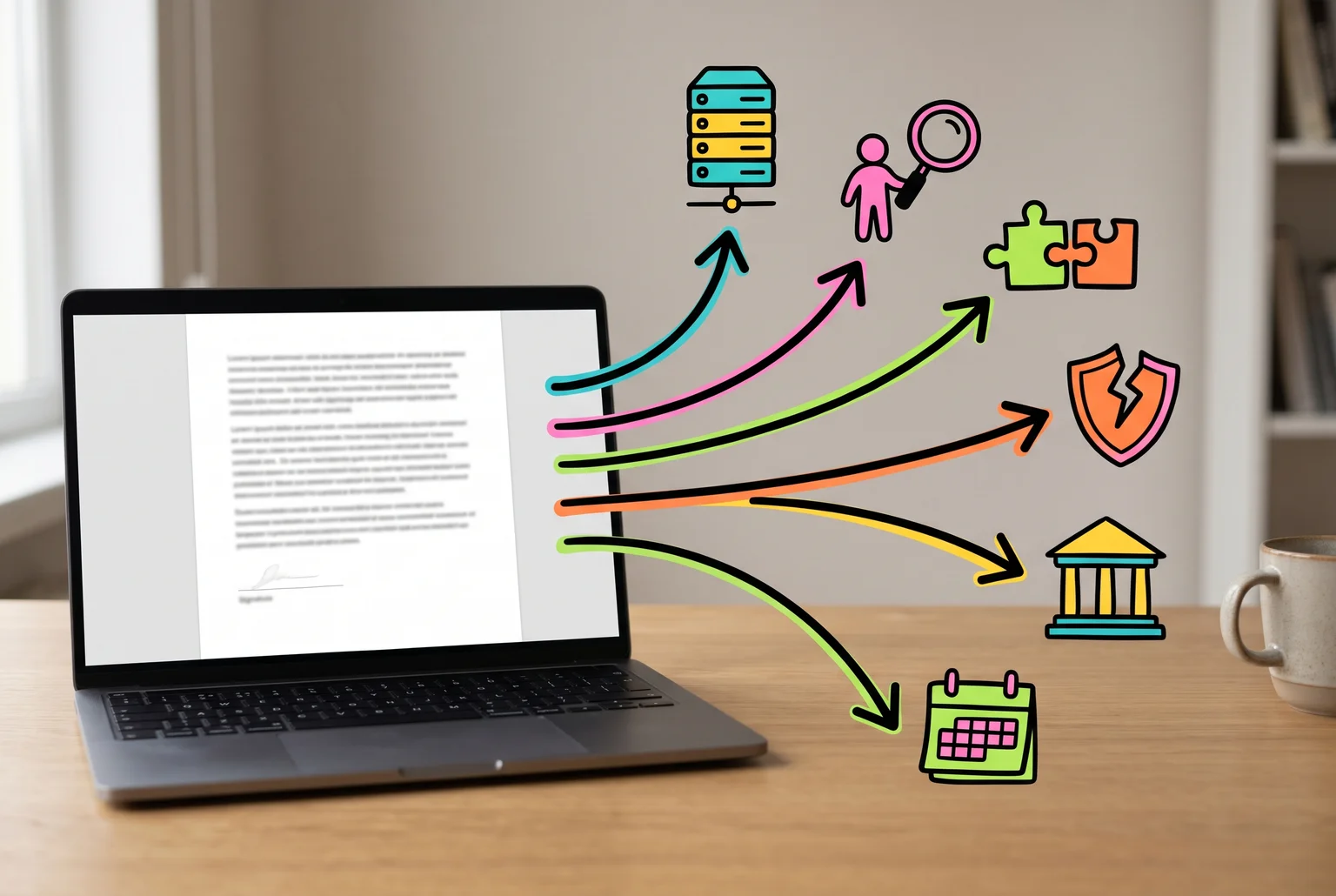
Third-party access. Vendors use subprocessors, and OpenAI's enterprise list includes Microsoft, CoreWeave, Oracle Cloud, Cloudflare and TaskUs. Data sent to a connected app or plugin falls under that provider's own terms.
Breaches. On March 20, 2023, a bug in an open-source library let some ChatGPT users see titles from other users' chat histories. Payment details of 1.2% of Plus subscribers active in a nine-hour window may also have been exposed. OpenAI called the number of affected users "extremely low" and notified them.
Legal requests. In the New York Times lawsuit, a court ordered OpenAI to preserve output logs that would otherwise be deleted. That requirement ended September 26, 2025. In November 2025 a judge ordered 20 million de-identified chat logs produced, and the ruling was affirmed in January 2026.
Privacy settings and business plans: what they change and what they leave exposed
The first rung is free. In ChatGPT, the Data Controls setting can stop ordinary conversations from being used to improve models, though those chats stay in your history until you delete them. Temporary Chat goes further: the conversation does not appear in history, does not create memories, and is not used for training. OpenAI may still keep it for up to 30 days for safety purposes. The setting reduces exposure and leaves the text on OpenAI's servers.
The second rung is a business plan. ChatGPT Business, Enterprise and the API do not train on your inputs or outputs by default unless you opt in. Customers control retention, and data is encrypted at rest and in transit. This is the closest thing to a private ChatGPT, and it is still a cloud service. Prompts and files are processed on OpenAI infrastructure and stay subject to retention policies, security monitoring, service-provider processing, and legal preservation or disclosure. Standard API use can generate abuse-monitoring logs kept up to 30 days. Zero Data Retention removes customer content from those logs, but only for eligible endpoints, and admin audit logs are unchanged.
For the accounting firm, the sensible move is to stop staff using personal accounts and put everyone on a business plan. Standard seats cost $25 per user per month, or $20 billed annually, with a two-seat minimum. Five people on annual billing is $100 a month.
| Rung | Stops training use | Stops vendor storage | Stops legal or monitoring access |
|---|---|---|---|
| Settings | Yes, if set | No | No |
| Business plan | Yes, by default | No, retention is configurable | No |

Private cloud and self-hosted models: more control, more work
The third rung covers two different setups. In the first, you rent a model inside a major cloud account. Azure OpenAI and Amazon Bedrock work this way. Microsoft states that prompts and responses are not used to train or improve foundation models. Bedrock does not train on your prompts and outputs without consent, and model providers cannot see your prompts or logs. You can also reach Bedrock through AWS PrivateLink, which keeps traffic off the public internet, and encrypt custom models with your own keys.
This is still not local. Prompts reach Amazon or Microsoft infrastructure, and the provider operates the service. Azure's standard abuse monitoring may keep prompts and completions for up to 30 days, with a modified option for eligible customers. Setup needs someone who can configure cloud networking and access, which a five-person accounting firm probably has to hire out. Regulated clients who need contractual and audit controls are the usual fit.
In the second setup, you run an open-weight model (one whose trained weights you can download) on servers you control. Data stays with you, but you own the patching, monitoring and backups. Hardware is only part of the bill, alongside power, security and specialist staff. Rented GPUs run about $0.96 an hour for an L40S and $2.64 for an H100, as of October 2026.
Check each model's license. Qwen2.5-3B is non-commercial only, while some Mistral models require a commercial license above $20 million in monthly revenue.
Running a model on your own laptop
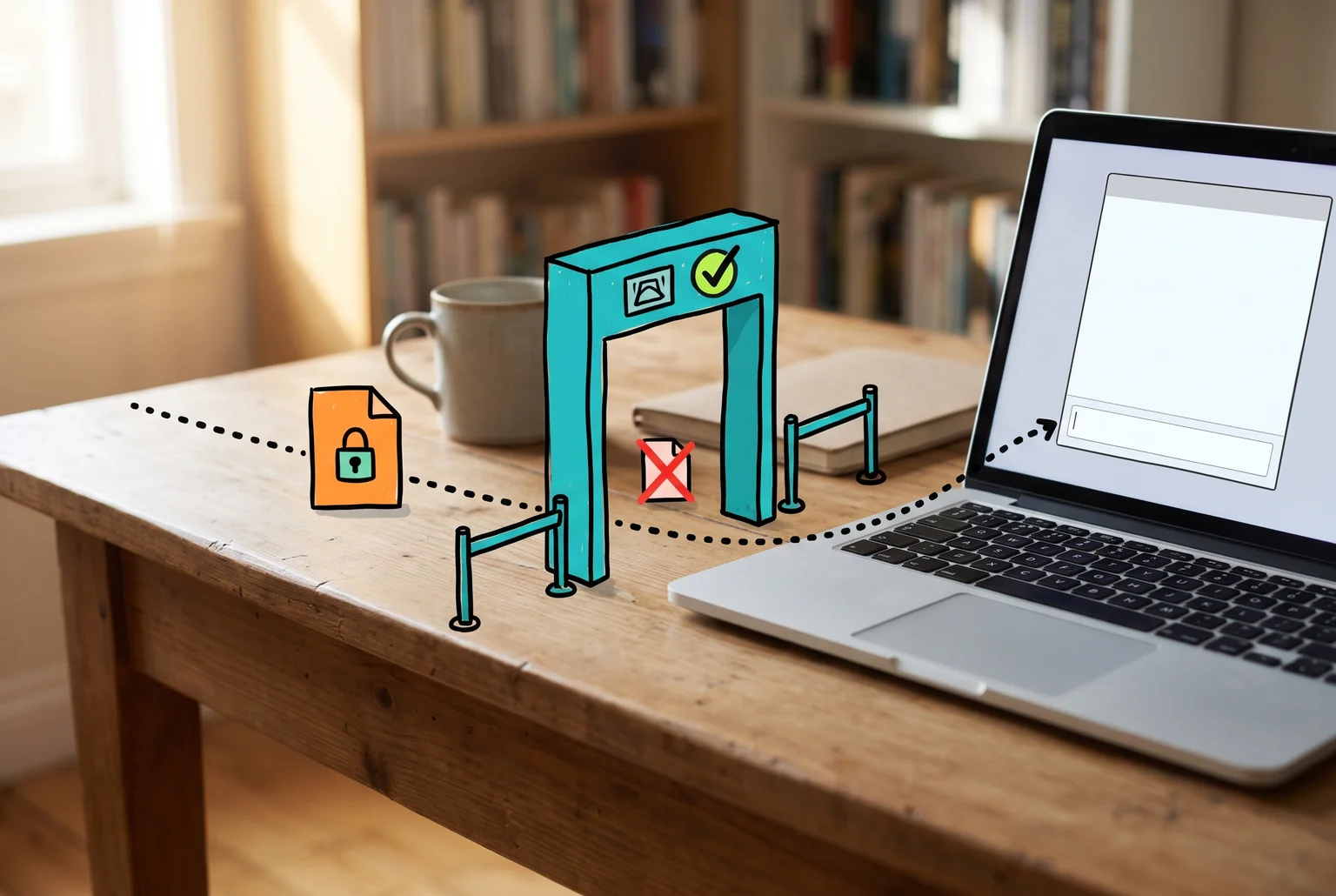
Local offers the strongest privacy of any rung. The model runs on your machine, so prompts and files never travel to a vendor, which removes retention, training use, human review, third-party access and legal requests aimed at a provider. LM Studio says documents used for chat or RAG stay on your machine and are processed locally. The same setup can also serve as an offline AI kit that works with no internet during an outage. Anyone who can reach the device or its storage can still reach the data, a point the next section covers.
Two free tools do most of the work. LM Studio has a graphical interface for downloading models, chatting and working with documents. Ollama runs from the command line on macOS, Windows and Linux. Ollama also offers cloud models, which do send prompts off your device, so pick local ones. Our guide explains how Ollama Cloud handles your prompts. For an assistant that also works on folders and runs code, see Hob, a new local alternative to Claude Cowork.
- Install LM Studio or Ollama.
- Download a model while you are online.
- Disconnect from the network, or block the app's access.
- Load the contract and ask for a summary.

The accounting firm can summarize a client contract this way: the file goes into a downloaded model with Wi-Fi off, and the summary appears without any text leaving the laptop. Our step-by-step guide shows how to chat with PDFs offline in six free apps.
Hardware sets the limit. LM Studio recommends at least 16 GB of RAM and 4 GB of dedicated GPU VRAM on Windows. Larger models and longer documents need more memory. On Apple Silicon, one benchmark guide puts 27B to 32B models at roughly 5 to 8 tokens per second on an M2 Pro and 15 to 25 on an M4 Max. Small models run faster but are weaker, and none match the largest cloud models on hard reasoning.
What local costs you and what it leaves unsolved
Local gives up capability. The models that fit on a laptop are smaller, slower and weaker on long, complex documents than the largest cloud models. A Mac mini starts at $899 with the M6 chip and $1,699 with the M5 Pro, and updates, backups and troubleshooting become your job.
Local is also not automatically safe. Loading an untrusted model can run code on your machine. JFrog found malicious models in 100 Hugging Face repositories, and one used a pickle payload to open a reverse shell on load. Prefer the safetensors format, avoid pickle files from unknown publishers, and download only from publishers you can name. Keep any inference server bound to the device, since a network-reachable one can expose your documents.
| Situation | Best rung | Cost |
|---|---|---|
| Casual, nothing confidential | Settings: training off, temporary chats | Free to low |
| Small firm with client data | Business plan, or local for the most sensitive files | $20 to $25 per seat per month, or one capable computer |
| Regulated firm | Private cloud or self-hosted | Contracts, setup, staff time |
| Highly sensitive work | Local, on a hardened, offline machine | Hardware, weaker models, upkeep |
For the accounting firm, I would use a business plan for routine drafting and run client contracts and financial notes through a local model. That costs one capable computer plus someone who keeps it patched, and summaries will be slower and less polished.
Related guides
- Can you run ChatGPT locally?: set up gpt-oss-20b with Ollama on a 16GB PC or Mac, and see which models fit your memory.
- Local AI vs cloud AI: real token speeds, hardware and running costs, and where local models fall behind.
- Building a local AI server at home: three parts lists with prices, tokens-per-second speeds, safe remote access and yearly power costs.
- What uncensored AI really is: how guardrails come off, what people use these tools for, and the legal, privacy and scam risks.
- Does local AI phone home?: what still goes online in Ollama, LM Studio, Open WebUI, AnythingLLM, GPT4All and Jan.
- MCP on a home computer: what MCP is, what can go wrong on a home machine, and a safe-start checklist.
- Are AI model downloads safe?: which model file types can run code, what Hugging Face scans for, and how to download safely.
- Is it safe to upload documents to ChatGPT?: what to strip out first.
- On-device AI on your phone: what Apple Intelligence, Gemini Nano and Galaxy AI keep local.
- Before an AI agent reads your inbox: six checks for business data.
- How to block AI training crawlers: for your own website's content.
- Chat with business files locally, without uploading: price lists, policies and customer notes on your own computer.
- Gemini app History and AI training: check both settings
- ChatGPT for Accounting: what a small business should check
Common questions about using AI privately
What AI can I use privately? Options sit on the ladder. Mainstream tools with training turned off and temporary chats are the first rung. Business plans such as ChatGPT Enterprise, which does not train on business data by default, are the second. Apple's Private Cloud Compute and Proton's Lumo are cloud services built around ephemeral processing or no-logs policies. Ollama and LM Studio run models on your own machine.
Is there a private ChatGPT? Business plans and API terms give you contractual protections, but the service is still cloud-hosted, so your trust rests on OpenAI's commitments. No ChatGPT-equivalent is fully private unless you run it locally or on infrastructure you control (rungs three and four).
How does private AI work? Privacy depends on where the model runs and who can reach the data while it does. Local inference keeps prompts on your device, while confidential cloud processing uses hardware-isolated environments that can prove which code is running. Optional online features, telemetry or backups can still send data out.
Sources
- 2026 AI Adoption & Risk Report - Cyberhaven Labs
- Samsung bans use of generative AI tools after internal data leak - TechCrunch
- EDPB Annual Report 2025 - European Data Protection Board
- Manage Gemini Apps activity - Google Gemini Help
- Updates to our Privacy Policy | Anthropic Privacy Center - Anthropic
- Data Controls FAQ - OpenAI Help Center
- Gemini Apps activity and human review - Google Gemini Help
- Sub-processor list | OpenAI - OpenAI and Anthropic
- Admin controls, security, and compliance for plugins and apps ... - OpenAI
- March 20 ChatGPT outage: Here's what happened | OpenAI - OpenAI
- NYT v. OpenAI and the Deleted ChatGPT Chats Order: What Lawyers Should Take From It - LLMs for Lawyers
- How your data is used to improve model performance - OpenAI Help Center
- Temporary Chat - OpenAI Help Center
- Business data privacy, security, and compliance | OpenAI - OpenAI
- Enterprise privacy at OpenAI | OpenAI - OpenAI
- Your data - OpenAI Developers
- Default usage policies by endpoint - OpenAI Platform
- ChatGPT Business overview | OpenAI Help Center - OpenAI
- ChatGPT Business: General FAQ | OpenAI Help Center - OpenAI
- Data, privacy, and security for Azure OpenAI - Microsoft Learn
- Data protection - Amazon Bedrock - AWS Documentation - AWS
- Use interface VPC endpoints for Amazon Bedrock - AWS Documentation
- Encryption of custom models - Amazon Bedrock - AWS Documentation - AWS
- Azure OpenAI abuse monitoring - Microsoft Learn
- Cloud GPU pricing compared: what GPUs cost per hour in 2026 - Hostinger
- Deploy NVIDIA Triton Inference Server on GPU Cloud: Production Multi-Model Serving (2026) | Spheron - Spheron
- LICENSE · Qwen/Qwen2.5-3B at refs/pr/3 - Alibaba Cloud
- Under which license are Mistral's open models available? | Mistral Help Center - Mistral AI
- Offline Operation | LM Studio - LM Studio
- Ollama Cloud - Ollama
- System Requirements | LM Studio - LM Studio
- Apple Silicon for LLMs: M1 to M6 Complete Guide (2026) - CanItRun
- The new Mac mini and Mac Studio are available today - Apple - Apple
- Security company warns of risk of virus infection through AI model execution - GIGAZINE - GIGAZINE
- Private Cloud Compute - Apple Security Research
- Lumo privacy | Proton - Proton
- Gemini Apps Help, "Manage & delete your Gemini history", opened November 19, 2026: https://support.google.com/gemini/answer/13278892