
Should you run local AI instead of paying for a chatbot?
Picture a freelance writer who also writes code. She has a 16 GB MacBook, or maybe a mid-range gaming PC, and a monthly chatbot subscription. Most days she pastes in client briefs, draft contracts and snippets of someone else's codebase. Lately she has started to wonder whether local AI would be safer for that material, cheaper over a year, or just a weekend hobby that eats a Saturday and gives back a slow, dim version of the chatbot she already has.
That is the question this guide answers. By the end you will know whether running AI on your own machine fits your work, what it really costs in hardware, power and time, and what speed to expect. She will come along as the running example in every section.

Local AI means an open-weight model running on hardware you own, with no remote server involved in generating the answer. The pieces are few. The model is a large file of learned numbers called weights, such as Llama 3.1 8B, which has 8 billion parameters and was trained on over 15 trillion tokens. Runner software loads that file, and your CPU, GPU or both do the arithmetic that produces each token. The runner can place the model in GPU memory, system memory, or split it across the two, and it needs room for the model plus the working context. If memory runs short, speed drops sharply.
Many weights ship as GGUF files, a format that bundles the tensors with tokenizer and chat-template data so one download is enough. Once the file is on disk, generating text does not require sending your prompt to a provider.
"Open-weight" is not the same as "free to do anything with." Qwen2.5-7B-Instruct uses the Apache 2.0 license, while Llama 3.1 comes with a community license that asks derived models to carry the Llama name. The next section tests what local AI actually gets her, starting with privacy.
What you gain from local AI, and where each gain is overstated
Privacy. When a local model answers, the client brief never leaves her laptop. Compare that with the cloud. Consumer chat services generally allow training on conversations unless the user opts out, and paid API terms can block general training while still permitting short-term abuse logs, file storage and feature-specific retention. Gemini's API, for example, keeps abuse-monitoring data for 55 days, and uploaded files stay until deleted. For a writer pasting in contracts under NDA, removing that exposure is the strongest argument for running locally.
The catch is that local inference is private only if the app around it is. LM Studio works offline once models are downloaded, but makes network requests for model discovery, runtime downloads and updates. Jan runs fully offline with local models, needs the internet for downloads, cloud integrations and updates, and includes optional telemetry that can be switched off. Ollama has a setting to disable its cloud features so only local models run. She should turn off telemetry, avoid cloud-connected features, and watch the runner's outbound connections once with a firewall tool before trusting it with client files.

Cost. Local use has no per-token charge and no subscription. It does have a hardware bill and an electricity bill. Her MacBook is already paid for, so the extra spend can be close to zero. Suppose instead she buys a used GPU for $400 to make her gaming PC capable, and her chatbot plan costs $20 a month. Without counting electricity, the card takes 20 months to pay for itself. Our GPU picks by budget and memory bandwidth compare what each price buys in October 2026. If the machine would have been bought anyway, local wins from day one. If she needs a $1,500 upgrade, break-even is over six years, longer than the hardware will stay current.
Break-even also assumes the local model replaces the subscription. If she keeps the paid plan for hard problems, which section 5 suggests she will, she pays for both. Local AI saves real money mainly at high volume, such as batch-processing thousands of documents through an API that would otherwise bill per token.
Control. She picks the model, and a downloaded file does not change under her. A cloud provider can retire a model, adjust its behavior or tighten its policies overnight. A local file stays the same until she replaces it. There are no rate limits except her own hardware, she can write any system prompt she likes, and she can fine-tune a model on her own writing samples.
The caveats are practical. Fine-tuning needs more memory and technical effort than running a model, and most users never do it. Pinning versions also means no free improvements, so the model she runs in two years will be the one she runs today unless she chooses to upgrade. Control comes with maintenance she has to do herself.
Memory, bandwidth and real speeds for local models
A model's weights have to sit in memory while it generates, and how fast that memory can feed the processor sets the speed. Each new token requires reading essentially the whole model once, so memory bandwidth, not raw compute, drives generation speed.
Three kinds of memory matter. VRAM is the dedicated memory on a graphics card, and it is the fastest place to keep weights. Ordinary RAM is slower, and a CPU-only machine reads from it. Unified memory, used by Apple Silicon, is one pool shared by CPU and GPU, so a Mac with 64 GB can give the GPU most of it.
The rule of thumb at 4-bit quantization, which the next section explains, is that an 8B model needs about 5 GB, a 14B about 9 GB and a 70B about 40 GB for weights alone. Add room for the context window and the operating system. A 70B model across two GPUs is workable at 48 GB combined but tight, and 64 GB or more of unified memory is more comfortable.
The figures below are approximate. They measure generation speed, not the slower prompt-processing step, and they shift with context length, software version and settings.
| Setup | Model and quantization | Tokens per second | Source |
|---|---|---|---|
| RTX 4090 (24 GB), llama.cpp | Llama 3 8B, Q4 | about 100 | Model Beats |
| RTX 3060 12 GB | 8B model, Q4 | 55 to 60 | Llama Builds |
| M4 Max MacBook Pro, 128 GB | Llama 3.1 8B, Q4 | 55 to 60 | Gadget Hacks |
| M4 Max MacBook Pro, 128 GB | Llama 3.1 70B, Q4 | 18 to 20 | Gadget Hacks |

Apple Silicon results across chips range from roughly 11 to 61 tokens per second in community llama.cpp tests, so a base-model Mac sits near the bottom of that span. CPU-only laptops depend on thread count, cooling and quantization. Expect the slowest numbers here, in the single digits to low teens for an 8B model, though that is my estimate and not a benchmark.
Speed translates to feel as follows. About 5 tokens per second is slow, like watching someone type. Roughly 20 to 30 is comfortable for chat, since you read slower than it generates. Above 50 is very responsive.
Cloud services are well past all of that. Artificial Analysis measures GPT-4o mini at about 111 tokens per second once streaming starts, and Gemini 3.5 Flash variants between 192 and 208 as of October 2026. Those figures exclude time to first token, but the gap holds: a 4090 gets roughly the speed of the slower cloud model, and everything else is slower.
Where does the persona land? A 16 GB MacBook with a base M-series chip fits an 8B Q4 model, at 5 GB plus context, with room left for her apps. Expect the lower part of the Apple Silicon range, comfortable for drafting and summaries but not snappy. Her gaming PC with an RTX 3060 12 GB should hit the 55 to 60 range on an 8B model. A 70B model is out of reach for both machines, since 40 GB of weights will not fit.
How quantization shrinks a model to fit your memory
Quantization stores each of a model's weights with fewer bits. The original weights are usually 16-bit numbers, and a quantized file rounds them to 4, 5 or 8 bits plus a few scaling values. The model gets smaller and faster to read from memory, at the cost of some precision. GGUF is the file format most local runners use. It packs the weights and metadata into one file, and labels like Q4_K_M describe how the weights inside were compressed.
The labels are readable once you know the pattern. The number is roughly the bits per weight, and the K variants mix precision across layers. Real averages run a little above the label: llama.cpp lists 4.89 bits for Q4_K_M, 5.70 for Q5_K_M and 8.50 for Q8_0.
For Llama 3.1 8B, the published GGUF files come to 4.92 GB at Q4_K_M, 5.73 GB at Q5_K_M and 8.54 GB at Q8_0. The unquantized version is about 32.1 GB in that repository, so Q4_K_M cuts it by roughly 85%. That is why the persona's 16 GB MacBook can run it. A 14B model follows the same pattern: Qwen2.5-Coder-14B is 8.99 GB at Q4_K_M and 15.7 GB at Q8_0. The Q8_0 file will not fit beside her other apps, while Q4_K_M leaves room for context.
Quality loss is small at the top. In an older 7B test, perplexity (lower is better) was 5.9066 at F16, 5.9070 at Q8_0, 5.9862 at Q5_0 and 6.1565 at Q4_0. Those are legacy formats, and the K variants do better at similar sizes. Below about Q4, such as Q3 and Q2, degradation gets harder to ignore, and it tends to show first in multi-step reasoning and code, where one wrong token breaks the answer.
My default is Q4_K_M. Move to Q5_K_M or Q6_K if you have spare memory and notice errors in code. Q8_0 rarely justifies its size on a laptop.
Where local models match the cloud and where they fall behind
For everyday work, a quantized 8B to 14B model on the persona's MacBook is good enough more often than people expect. Summarizing a client memo, tightening a draft, writing a regex or a short Python function: these are tasks where the output of a local model and a paid chatbot are hard to tell apart. Meta's model card lists Llama 3.1 8B Instruct at 69.4% MMLU and 72.6% HumanEval, and the 70B at 83.6% and 80.5%. Qwen2.5-72B reports 86.1% MMLU and 59.1% HumanEval. The 70B needs a high-memory machine, but it lands in the range of the best models from a year or two ago.
The same model card shows where size bites. On GPQA, a graduate-level science reasoning test, the 8B scores 30.4%, the 70B 46.7%, and the 405B 50.7%. Closed models such as Claude Opus 4.6 and Gemini 3.1 Pro Deep Think lead open alternatives by about 3 to 8 points on hard reasoning benchmarks, and that comparison is against the largest open models, not the 8B you can fit on a laptop. One estimate puts the best open-weight models roughly four months behind the closed frontier. The gap has narrowed, but it has not closed.
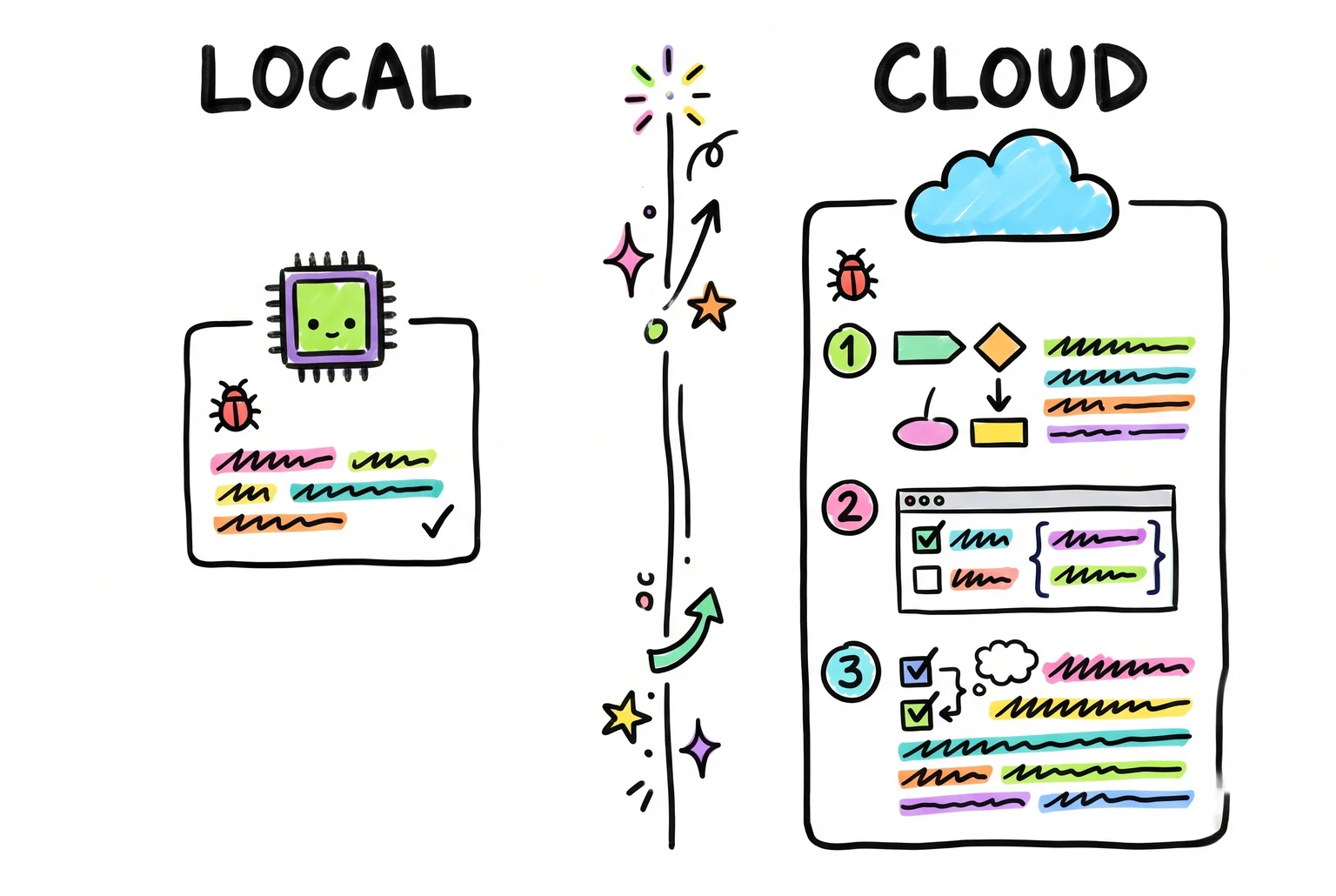
Here is what that looks like on her actual work. Asked to summarize a five-page freelance contract, an 8B model at Q4_K_M produces a usable summary of payment terms and deadlines. It tends to miss the clause that matters, such as an indemnity carve-out buried on page four, and it does not flag that two sections conflict. A frontier cloud model catches more of these. On a bug fix, the local model handles a single-function off-by-one error well. When the bug spans three files and a misleading stack trace, it guesses, while the cloud model usually traces the cause. These are my impressions of typical behavior, not a controlled test.
Context length is a practical limit too. Llama 3.1 supports 128K tokens, but Ollama defaults to 4K, so a long contract gets silently truncated unless you raise it, and a bigger window eats memory she doesn't have to spare. Claude models go up to 1M tokens. Local models also have no built-in web search, a knowledge cutoff, weaker tool use, and mostly text-only input unless you pick a vision model.
Benchmarks and leaderboards are a rough guide. Scores shift with the evaluation setup, and a model tuned to the test can look better than it feels in use. Arena-style Elo rankings reflect human votes on chat answers, and the top spots are held by proprietary models, with open-weight models like DeepSeek and Kimi competitive but below them. Some of those rankings come from aggregator sites with unofficial-looking data, so treat the numbers as direction, not precision.
My verdict: local is good enough for drafting, summaries and routine code, and cloud is better for anything hard, long or high-stakes.
Choosing a runner and getting your first model going
Five tools cover most of what people use. They all load the same GGUF model files, so the choice is about interface and workflow more than output quality.
| Runner | Interface | License | Local API |
|---|---|---|---|
| Ollama | CLI plus a simple desktop app (macOS, Windows, Linux) | MIT | Yes, with OpenAI-compatible endpoints |
| LM Studio | Polished desktop GUI with model browser | Proprietary app | Yes, OpenAI-compatible, with tool calling and JSON output |
| llama.cpp | Command line and a built-in server | MIT | Yes, OpenAI-compatible server |
| Jan | Desktop chat app | Open source | Local server |
| GPT4All | Desktop chat app | Open source | Limited |
The Ollama and llama.cpp rows come from their docs and README. LM Studio serves on localhost or your local network, but the app itself is closed source, and its terms allow personal and internal business use while restricting redistribution and some service uses. Jan and GPT4All are open source desktop apps, though I'd check their current platform lists before installing.
The licenses above cover the runner, not the model. A model's license is separate, and "open-weight" means you can download the weights, not that the model is open source. Qwen's repository, for example, carries Apache 2.0 for the code alongside separate license agreements for some model weights.
For a beginner, LM Studio is the easiest start: you search for a model, click download and chat, with no terminal. Tech-savvy users will likely prefer Ollama. It runs as a background service with a local API, so scripts and editors can call it, and llama.cpp is the pick if you want the most control over flags and builds. Our comparison of Ollama, llama.cpp and vLLM explains which local AI engine to use and when to switch.

Running the first prompt
These steps use Ollama and the persona's MacBook. For a ChatGPT-style assistant on OpenAI's gpt-oss-20b, see how to run ChatGPT locally.
- Install Ollama from its site, then open a terminal.
- Pull the model with
ollama pull llama3.1:8b. The default tag is a Q4 build, roughly 4.9 GB. - Start it with
ollama run llama3.1:8b --verboseand type a prompt, such as "Summarize this paragraph in two sentences." - When the reply finishes, read the
eval rateline. That is your generation speed in tokens per second.
If the number lands near the figures in the hardware table earlier, the setup is working. A much lower number usually means the model spilled out of GPU memory and is running on the CPU. In LM Studio, the same check is the tokens-per-second readout under each reply.
Who should run local AI, and who should pay for the cloud
The persona, a freelance writer-developer on a 16 GB MacBook, should run a hybrid setup. Keep client contracts and proprietary code on a local 8B model, and send everything else to the cloud subscription she already pays for.
Run local if you handle legal, health, financial or confidential business material you wouldn't paste into a hosted chatbot, use AI heavily every day, work offline or on unreliable connections, or want to pick a model, pin a version and tinker.
Stay on the cloud if you use AI a few times a week, need the strongest reasoning or long-context work, or don't want to maintain anything. Cloud subscriptions are cheaper for most typical users, and local inference mainly pays off for privacy-focused or high-volume use.
The cost has three parts. Hardware is the big one: the persona's existing MacBook costs nothing extra, while a dedicated GPU rig is a real purchase, and used RTX 3090 prices move month to month. Electricity is small by comparison. Time is the hidden cost, since you handle updates, troubleshooting and testing yourself.
Hybrid setups work through routing. A privacy gate classifies each request before inference, so sensitive data stays on the device and only non-sensitive prompts go out. Deciding per task by hand gets the same result. Watch what leaves the machine, though: filenames, retrieved passages and generated summaries can reveal confidential details if forwarded to a cloud service.
Expect roughly the speeds in the hardware table earlier, with quality that is good for drafting and summarizing and weaker on hard reasoning.
Related guides
- Can you run ChatGPT locally?: set up gpt-oss-20b with Ollama on a 16GB PC or Mac, and see which models fit your memory.
- Private AI options ranked: from chatbot privacy settings and business plans to running models on your own laptop.
- Building a local AI server at home: three parts lists with prices, tokens-per-second speeds, safe remote access and yearly power costs.
- Make AI images on your own computer: what your computer needs, which free app to start with and how to make your first picture.
Local AI questions, answered briefly
Are there free open-weight models, and can I use them commercially? Yes, you can download many for free. Open-weight means the trained model file is public, which is not the same as open source: the Open Source AI Definition also requires the code and data information behind the model. The Llama 3.3 license allows commercial use unless you have over 700 million monthly users, and Gemma's terms apply a prohibited-use policy.
Do I need to code? No. Ollama, LM Studio and Jan are installable apps. Under the hood, llama.cpp is written in C/C++, and Jan's desktop layer uses Rust.
Can I run it without a GPU? Yes. Ollama supports CPU-only inference, just more slowly.
Is it really offline? Once downloaded, models load from your own memory. Installing and downloading need internet.
Sources
- Llama 3.1 - 405B, 70B & 8B with multilinguality and long context - Hugging Face
- FAQ - Ollama - Ollama
- GGUF - Hugging Face
- Qwen/Qwen2.5-7B-Instruct · Hugging Face - Qwen Team
- Zero data retention in the Gemini Developer API | Gemini API ... - Google
- Offline Operation | LM Studio - LM Studio
- FAQ - Jan - Jan
- Macs for Enterprise AI: What Runs Locally vs. Cloud - Gadget Hacks
- Llama 3 8B - benchmarks, pricing & hardware fit · Model Beats - Model Beats
- Llama Builds - AI PC Builds & Benchmarks - Llama Builds
- llama.cpp discussion #4167 - GitHub
- GPT-4o mini - Intelligence, Performance & Price Analysis | Artificial ... - Artificial Analysis
- Quantizing Models - llama.cpp - Mintlify
- bartowski/Meta-Llama-3.1-8B-Instruct-GGUF at main - Hugging Face - Hugging Face
- Qwen/Qwen2.5-Coder-14B-Instruct-GGUF · Hugging Face - Hugging Face
- llama.cpp/examples/quantize/README.md at main · osllmai/llama.cpp · GitHub - GitHub
- llama-models/models/llama3_1/MODEL_CARD.md at main · meta ... - Meta
- Qwen2.5: Alibaba's Open-Weight LLM Family | AI/TLDR - Alibaba
- Open-Weight vs Closed-Source AI Models 2026: Gap Analysis - Digital Applied
- The Open-Weight Frontier Didn't Die - It Moved - DEV Community
- LMSys Chatbot Arena Leaderboard (October 2026): Live Rankings ... - Swfte
- Ollama Documentation - Ollama
- llama.cpp README - ggml-org
- Local Server - LM Studio
- LM Studio App Terms - LM Studio
- QwenLM/Qwen: The official repo of Qwen (通义千问) chat ... - GitHub - QwenLM
- Used RTX 3090 Price - October 2026 | Get PC Parts - Get PC Parts
- Introducing Hybrid Compute on Mac - Perplexity - Perplexity
- Run AI Agents Locally: Privacy and Cost Guide - Sista AI
- OSAID FAQs - Open Source Initiative - Open Source Initiative
- Llama 3.3 Community License Agreement - Meta
- Gemma Terms of Use - Google AI for Developers
- ggml-org/llama.cpp: LLM inference in C/C++ · GitHub - GitHub
- Hardware support - Ollama - Ollama