What is the best free local AI upscaler? Upscayl, for most people
For most people, the best free local AI upscaler is Upscayl. It is a free, open-source app for Windows, macOS and Linux that enlarges photos with AI models on your own computer, so nothing is uploaded. Its one hard requirement is a Vulkan-compatible graphics chip. Without one, use chaiNNer instead.
The current release is Upscayl v2.15.0, which came out at Christmas 2024 and is still the latest as of October 2026. The code uses the AGPL-3.0 license, an open-source license that keeps the source public.
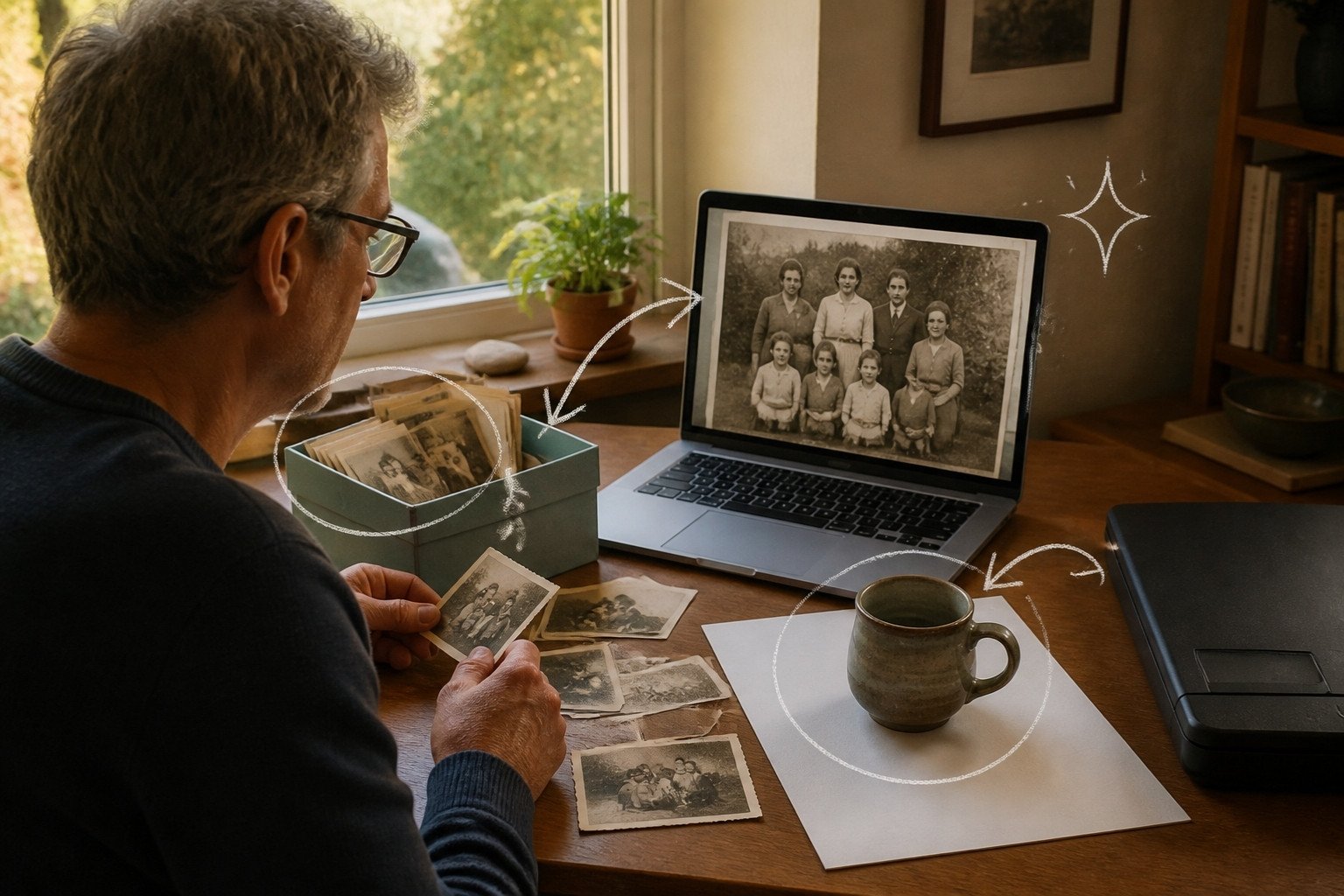
This guide follows one reader: someone with an ordinary Windows laptop, Intel integrated graphics and 16GB of RAM. They have a folder of small scanned family photos from the 1980s and a dozen low-resolution product shots for a small online shop. They want a free AI image upscaler that works offline: bigger, cleaner copies of both, with no subscription and no family pictures sent to a website.
What an AI upscaler actually does to your photos
An AI upscaler makes an image bigger and fills the new pixels with detail it predicts, not detail it recovers. Upscayl's own FAQ says it enhances images by guessing what the details could be. The technical name is super-resolution.

Ordinary resizing stretches the pixels you already have, so a small picture becomes a big blurry one. A super-resolution model has learned what sharp edges, skin and brick usually look like. Real-ESRGAN, the research model Upscayl builds on, was trained only on synthetic data: sharp images were deliberately damaged to simulate real-world degradations, and the model learned to reverse it.
So the results can look convincingly sharp, but the new detail is a plausible guess, not a record of what was there. The limits are real too: the FAQ says Upscayl cannot de-blur or do focus adjustment. An out-of-focus snapshot stays out of focus, only larger. Small, pixelated images are where it does best.
Be careful with faces
Face restoration goes further than upscaling. Real-ESRGAN's Python version has a --face_enhance option that hands faces to GFPGAN, and GFPGAN's README says one of its versions can have a slight change on identity. CodeFormer offers a fidelity weight because a prettier face and a more faithful one pull in opposite directions. Upscayl's desktop app has no face option; face enhancement is offered in the separate Upscayl Cloud service.
For a grandparent's portrait, faithfulness beats sharpness. Keep the original scan, save upscaled copies under a new name, and compare them side by side before printing. If a face looks like someone else, use the original.
Does Upscayl need a GPU? What your computer needs
Yes. Upscayl's FAQ says it needs a Vulkan-compatible GPU and won't work with most iGPUs or CPUs. The GPU is the graphics chip; an iGPU is one built into the main processor, common in thin laptops. Vulkan is a standard way for software to put that chip to work.
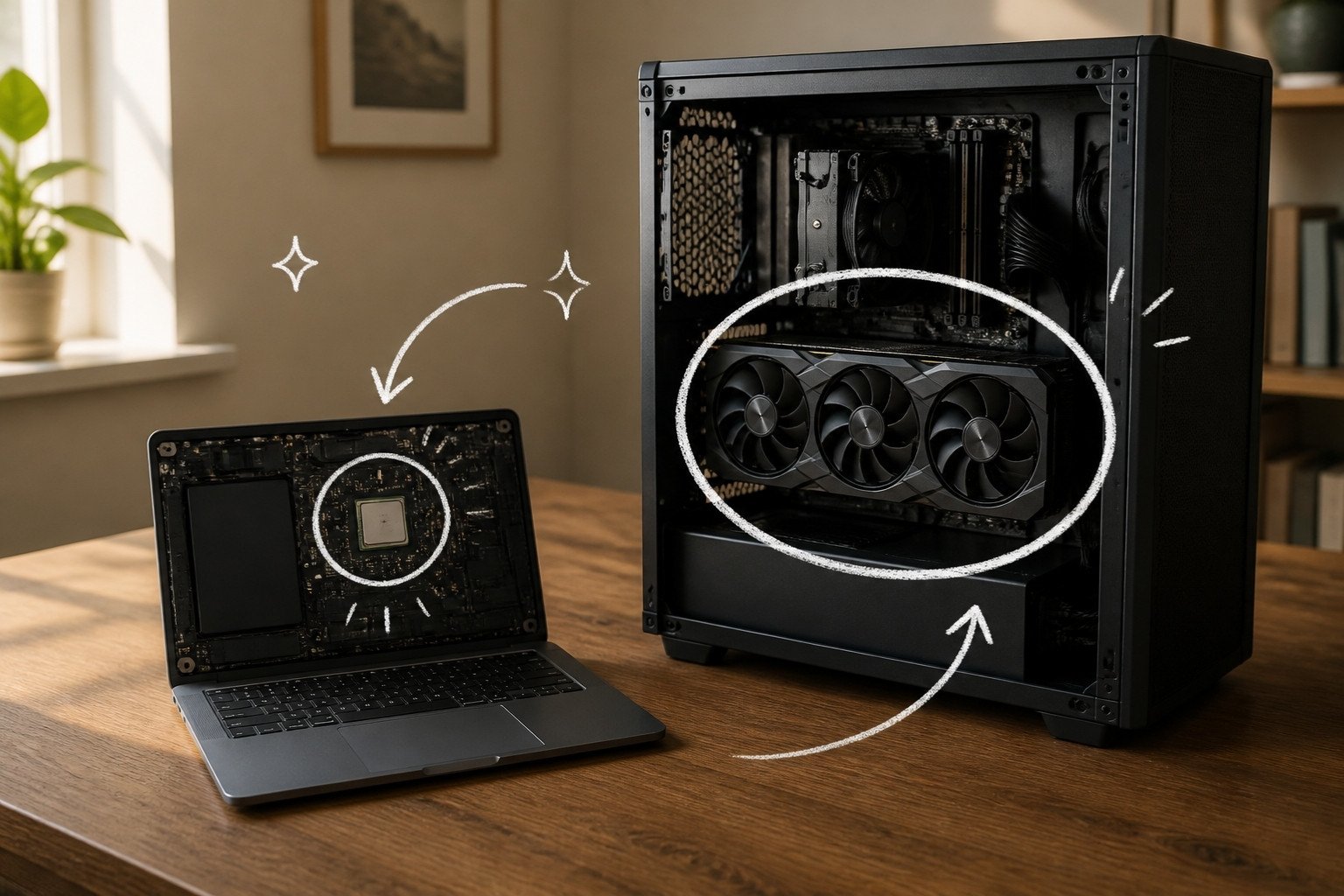
The compatibility list says all dedicated GPUs are assumed to work apart from the GTX 7xx series and GT 920M, and that GPUs supporting Vulkan 1.3 should be fine. The app needs Windows 10 or later or macOS 12 or later, and Linux builds come through Flathub, AppImage, Snap and the AUR.
| Your computer | Will Upscayl run? | What to expect |
|---|---|---|
| Dedicated NVIDIA or AMD card | Yes, except GTX 7xx and GT 920M | The easy case |
| Laptop with integrated and dedicated graphics | Yes, once it uses the right chip | Set the GPU ID, and performance mode on Windows |
| Integrated graphics only | Sometimes | Intel HD 620/630, Intel Iris and most AMD Vega chips are listed as working |
| Apple Silicon Mac, macOS 12 or later | Yes | Builds exist for Apple Silicon and Intel Macs |
| No usable GPU | Not officially | Use chaiNNer's CPU mode |
The Mac row comes from Homebrew, which lists Upscayl for both Apple Silicon and Intel Macs. The reader's laptop sits in the middle. Intel Iris Xe is not named on the list either way, so try it. Upscayl's docs suggest running VulkanCapsViewer to check Vulkan support, but upscaling one photo answers the same question.
There is no official CPU mode. A user-reported Windows workaround swaps in a software Vulkan driver, and the maintainers chose not to build it in.
How to install Upscayl and upscale your first image
Download Upscayl only from official sources: the upscayl.org download page, the GitHub releases page, Flathub on Linux, or Homebrew on a Mac with brew install --cask upscayl. On upscayl.org, the Mac button leads to the Mac App Store version, which costs $12.99 and lists version 2.11.5, behind the free download on GitHub and Homebrew.

- On Windows, download the installer, named like
upscayl-2.15.0-win.exe, and run it. On a Mac, open the.dmgfrom the GitHub releases page and drag Upscayl into Applications. - Open Upscayl. Version 2.15 shows an onboarding dialog with a short tutorial video on first launch.
- Step 1 in the sidebar: click Select Image, drag a photo in, or paste one with Ctrl+V (Cmd+V on a Mac). It accepts PNG, JPG, JPEG or WEBP images.
- Step 2: click Select AI Model and choose Upscayl Standard, described as suitable for most images.
- Step 3: click Set Output Folder and pick a new folder, so copies stay apart from originals.
- Step 4: click the Upscayl button. When it finishes, zoom in or use the Lens Viewer to check detail.
The built-in models only support 4x, so a 600 by 400 pixel scan comes out at 2400 by 1600.
Upscaling a whole folder at once
Turn on Batch Upscayl, which lets you upscale all files in a folder at once. Step 1 becomes Select Folder. Then let the batch finish: Upscayl sometimes upscales every image first and post-processes afterwards, so stopping early can leave files at the wrong scale. Try five photos before queuing two hundred.
What stays on your computer
The upscaling runs on your own graphics chip, which is why the app needs one. The separate Upscayl Cloud is pitched at people with no graphics card or powerful hardware, with plans from $24.99 for 300 credits a month, so make sure you installed the desktop app.
The App Store listing, still on version 2.11.5, says Data Not Collected, but version 2.15 added a switch for sharing anonymous usage stats and one for update checks. Both are on by default, and you can turn them off at first launch or in Settings. To be certain, upscale one photo with Wi-Fi off. Our guide to private AI options covers what else to check, and the checklist for before you upload a document applies to online upscalers too.
Which Upscayl model to use, and the settings that matter
Upscayl ships with seven models, the trained files that do the guessing. Pick by whether the picture is a photo or a drawing. Three are labeled Non-Commercial in the app itself, which matters for the shop photos.

| Model | What the app says it suits | Commercial use |
|---|---|---|
| Upscayl Standard | Most images | Not flagged |
| Upscayl Lite | Most images, faster with minimal quality loss | Not flagged |
| High Fidelity | All kinds of images, realistic details and smooth textures | Not flagged |
| Digital Art | Digital art and illustrations | Not flagged |
| Remacri | Natural images, added sharpness and detail | Non-Commercial |
| Ultramix | Natural images, balance of sharpness and detail | Non-Commercial |
| Ultrasharp | Natural images, focus on sharpness | Non-Commercial |
For the family photos, run Upscayl Standard and High Fidelity on the same scan and keep the more natural result. For the product shots, skip the flagged three: OpenModelDB lists Remacri and UltraSharp under CC BY-NC-SA 4.0, which excludes commercial use. High Fidelity is based on Helaman's HFA2k, listed as CC BY 4.0, which allows it with credit. Use Digital Art for logos and illustrated labels.
- Image Scale: Upscayl has offered up to 16x since version 2.11 and makes 2x or 3x by shrinking the 4x result. The app warns that anything above 4x only resizes the image, except 16x Double Upscayl, which runs the model twice.
- TTA Mode, short for test-time augmentation, reduces artifacts but increases processing time by 8x. Save it for one favorite photo.
- Save Image As: PNG is lossless and large; JPG or WEBP suit a shop listing.
Since version 2.5 you can also load your own NCNN models, pairs of .bin and .param files, from Add Custom Models in Settings. The official custom-models repository has extras such as NMKD Siax, a universal upscaler for clean and slightly compressed images.
Upscayl alternatives, and when to pick each
Every tool here lets you upscale images locally. Pick something other than Upscayl when your computer can't run it, when you want more control, or when upscaling is paid work. Our apps hub lists more local tools.
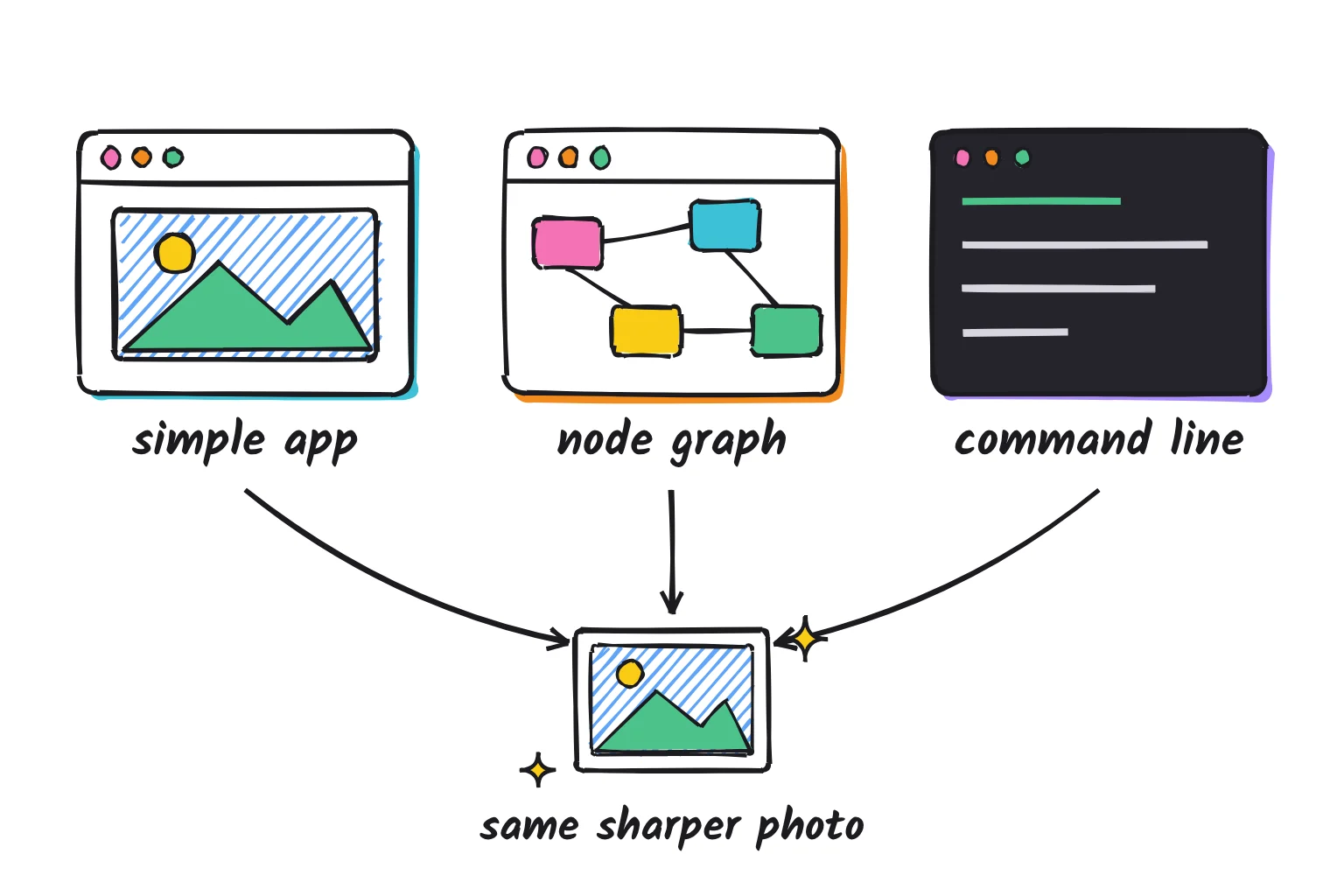
| Tool | Cost and license | How you use it | Needs a GPU? | Pick it when |
|---|---|---|---|---|
| Upscayl | Free, AGPL-3.0 | Simple desktop app | Yes, Vulkan | You want the easy default |
| chaiNNer | Free, GPL-3.0 | Node graph | No, CPU fallback | No usable GPU, or custom chains |
| ComfyUI | Free, GPL-3.0 | Node graph in an image generator | Best with one | You already make AI images there; our ComfyUI upscale workflow guide shows the nodes |
| Real-ESRGAN ncnn | Free, MIT | Command line | Yes, Vulkan | You want to script folders |
| Topaz Gigapixel | Paid subscription | Polished desktop app | 6GB card or listed integrated chips | Upscaling is paid work |
chaiNNer: when Upscayl can't use your GPU
chaiNNer is a free, node-based image processing app under GPL-3.0 for Windows, macOS and Linux. You build a chain of steps, such as load folder, upscale and save, by connecting boxes. It runs PyTorch, NCNN, ONNX and TensorRT models, and all frameworks support CPU-only mode as a fallback. That makes it the reader's plan B if Upscayl shows a GPU error, with a learning curve and slow CPU runs.
Its latest release, Alpha v0.26.0, added TensorRT upscaling and is the last on the current Python backend before a planned rewrite. Models come from OpenModelDB, a community collection.
ComfyUI: when you already generate images
If you use ComfyUI, a free app under GPL-3.0 covered in our guide to making AI images on your own computer, you don't need a separate upscaler. Put a model file in ComfyUI/models/upscale_models and wire the Load Upscale Model and Upscale Image (using Model) nodes after your image. If a shared upscaling workflow opens with red nodes, ComfyUI Manager can install the missing ones.
ComfyUI also runs SeedVR2 natively, a one-step diffusion-based restoration model from ByteDance Seed, under Apache 2.0, for images and video. The docs say its 7B version needs more VRAM, the graphics card's own memory, and more time. If ComfyUI then keeps showing Reconnecting, its server has usually crashed, most often from low system memory; see how to fix the ComfyUI Reconnecting error. It is a desktop graphics card tool, not one for the reader's laptop.
Real-ESRGAN on the command line: when you want a script
Real-ESRGAN, the project behind Upscayl's engine, is BSD-3-Clause licensed, and its portable build for Windows, Linux and macOS, the MIT-licensed ncnn version, includes all the binaries and models required. After unzipping, open a terminal in that folder. On Windows, one command upscales a photo:
.\realesrgan-ncnn-vulkan.exe -i family-photo.jpg -o family-photo-4x.png -n realesrgan-x4plusOn Linux or macOS, start with ./realesrgan-ncnn-vulkan instead. The ncnn README says -i and -o accept folders, and a smaller -t tile size cuts GPU memory use. Use realesrgan-x4plus-anime for drawings. The newest build is from April 2022, so it is stable rather than actively updated.
Topaz Gigapixel: the paid option
Topaz Gigapixel is a paid upscaler for Windows and macOS, sold by subscription. As of October 2026 its Personal plan is $149 billed annually, or $29 month to month. It includes a Face Recovery model for portraits, and Topaz says your files never leave your computer with local rendering, though plans also include cloud rendering.
The Windows minimum is 16GB of RAM and a 6GB graphics card, with Intel Iris Xe also on the list, and Macs need macOS 13. For the reader, it is worth a look only if upscaling becomes regular paid work.
Upscaling video
Upscayl handles still images only. For video, Video2X is a free, AGPL-3.0 tool for Windows and Linux that upscales with Real-ESRGAN, Real-CUGAN or Anime4K. It needs a Vulkan GPU and a CPU with AVX2, and its latest release is version 6.4.0.
Fixing common Upscayl problems
Upscayl's general fixes are: reinstall, restart, and set the GPU ID to your dedicated card. Most problems trace back to the graphics chip or its driver.
The result is black or blank
The Real-ESRGAN ncnn engine lists a known bug, "Some PCs will output black images", with no fix given. Update your graphics driver, set the GPU ID to a dedicated card if you have one, and try another model. If the whole app window is black on macOS Monterey, that is a Monterey problem with Electron apps; update macOS.
GPU Error, or the wrong GPU is used
On a laptop with two graphics chips, start an upscale, open Settings, and find the available GPU IDs in the logs. Enter the dedicated chip's number in the GPU ID box, and set Upscayl to performance mode in Windows display settings, or Windows may override it. The Windows troubleshooting page also suggests disabling switchable graphics, turning on hardware-accelerated GPU scheduling, and reinstalling drivers.
It crashes or runs out of memory on big images
Upscalers process a picture in tiles, small squares done one at a time. A smaller tile size reduces GPU memory use, so lower Custom Tile Size in Settings if big images fail. Tiles can leave faint seams, which the README calls block inconsistency. Stay at 4x too: the app warns that anything above 5x may cause performance issues.
It is very slow, or only runs on the CPU
Switch off TTA Mode and Double Upscayl, and try Upscayl Lite, pitched as high-speed upscaling. Through the CPU workaround, the reporter said models run but are slow; chaiNNer's CPU mode is the supported path. On Windows, keep folder paths short, since version 2.15 added an alert for paths of 256 characters or more.
Common questions about local AI upscalers
Is Upscayl free and safe?
Yes. Upscayl is free and open source under the AGPL-3.0 license, and the desktop app upscales images on your own computer. Download it only from upscayl.org, its GitHub releases page, Flathub or Homebrew. The Mac App Store version costs $12.99 and lags behind the free download, and three built-in models are marked non-commercial.
Does Upscayl need a GPU?
Yes. Upscayl needs a graphics chip that supports Vulkan. Almost any dedicated NVIDIA or AMD card works, and Apple Silicon Macs are supported, but many integrated laptop chips do not. There is no official CPU mode. If Upscayl shows a GPU error on your machine, chaiNNer can fall back to the CPU, though slowly.
Does Upscayl work offline?
Yes. The desktop app does the upscaling on your own graphics chip, so your photos are not uploaded anywhere. Anonymous usage statistics and update checks are on by default, and both can be switched off in settings. Upscayl Cloud is a separate paid web service that works on its own servers, so make sure you installed the desktop app.
What is the best Upscayl model for old photos?
Start with Upscayl Standard, which the app describes as suitable for most images, then try High Fidelity on the same photo and keep the more natural result. Use Digital Art for drawings and illustrations. Every model guesses new detail rather than recovering it, so compare faces with the original scan before printing or sharing.
Can Upscayl upscale videos?
No. Upscayl works on still images such as PNG, JPG and WEBP files. For video, Video2X is a free, open-source tool for Windows and Linux that applies Real-ESRGAN and similar models to video. ComfyUI also supports SeedVR2, a newer restoration model for images and video that needs a capable graphics card.
What are the best Upscayl alternatives?
chaiNNer is the best free alternative if you need CPU support or custom chains of steps. ComfyUI suits people who already generate AI images in it. The Real-ESRGAN command-line tool is good for scripting whole folders. Topaz Gigapixel is the main paid option, sold by subscription, with a face recovery model for portraits.
My verdict for the family photo folder
For the reader with an ordinary laptop, Upscayl is the right first try: free, open source, local once you switch off the usage stats, and four clicks from a sharper scan. Use Upscayl Standard or High Fidelity for the family photos, keep the originals, and judge every face with a skeptical eye. For the shop photos, stick to models the app does not flag as Non-Commercial.
If Upscayl reports a GPU error on the integrated graphics, switch to chaiNNer rather than fighting drivers. ComfyUI and SeedVR2 can wait for a desktop graphics card, and Gigapixel can wait until upscaling earns money.
Your next step: install Upscayl from upscayl.org, upscale one family photo with Upscayl Standard, and compare it with the original at full size.
Sources
- Upscayl README and FAQ - Upscayl on GitHub
- Upscayl v2.15 New Year Update release notes - Upscayl on GitHub
- AI Image Upscaler Upscayl 2.15 Added Multiple Languages and TTA Mode - UbuntuHandbook
- Upscayl releases - Upscayl on GitHub
- Upscayl 2.11.0 release notes - Upscayl on GitHub
- Upscayl English interface text (en.json) - Upscayl on GitHub
- Upscayl v2.15.0 default settings (user-settings-atom.ts) - Upscayl on GitHub
- Upscayl Guide: GPU ID, custom models and scale - Upscayl wiki
- Upscayl Compatibility List - Upscayl wiki
- Using Upscayl on Windows and Linux with only a CPU, issue 390 - Upscayl on GitHub
- Upscayl custom models - Upscayl on GitHub
- General Fixes - Upscayl Docs
- Windows Troubleshooting - Upscayl Docs
- MacOS Troubleshooting - Upscayl Docs
- Upscayl home page - Upscayl
- Download Upscayl - Upscayl
- Upscayl Cloud - Upscayl
- Upscayl Cloud pricing - Upscayl
- Upscayl on the Mac App Store - Apple
- Upscayl on Flathub - Flathub
- upscayl cask - Homebrew
- Real-ESRGAN: Training Real-World Blind Super-Resolution with Pure Synthetic Data - arXiv
- Real-ESRGAN README - Xintao Wang on GitHub
- Real-ESRGAN ncnn Vulkan README - Xintao Wang on GitHub
- Real-ESRGAN v0.2.5.0 release - Xintao Wang on GitHub
- GFPGAN README - Tencent ARC on GitHub
- CodeFormer README - Shangchen Zhou on GitHub
- 4x-Remacri - OpenModelDB
- 4x-UltraSharp - OpenModelDB
- 4x-HFA2k - OpenModelDB
- OpenModelDB - OpenModelDB
- chaiNNer README - chaiNNer on GitHub
- chaiNNer Alpha v0.26.0 release - chaiNNer on GitHub
- ComfyUI README - ComfyUI on GitHub
- Upscale model tutorial - ComfyUI Docs
- SeedVR2 image and video upscaling - ComfyUI Docs
- Topaz Gigapixel - Topaz Labs
- Gigapixel system requirements - Topaz Labs
- Video2X README - Video2X on GitHub
- Video2X 6.4.0 release - Video2X on GitHub