What is LM Studio?
LM Studio is a free desktop app for Mac, Windows and Linux that lets you download and run AI models on your own computer, chat with them, attach documents and serve them to other apps. Chats and documents stay on your machine, and it is free at home and at work.
This guide follows one reader: someone with a 16GB laptop, either a Windows machine with no separate graphics card or an M-series MacBook Air, who wants a private assistant for drafting and for questions about their own files, and who has never run a model before. Every fact comes from lmstudio.ai and its docs, checked on October 29, 2026.
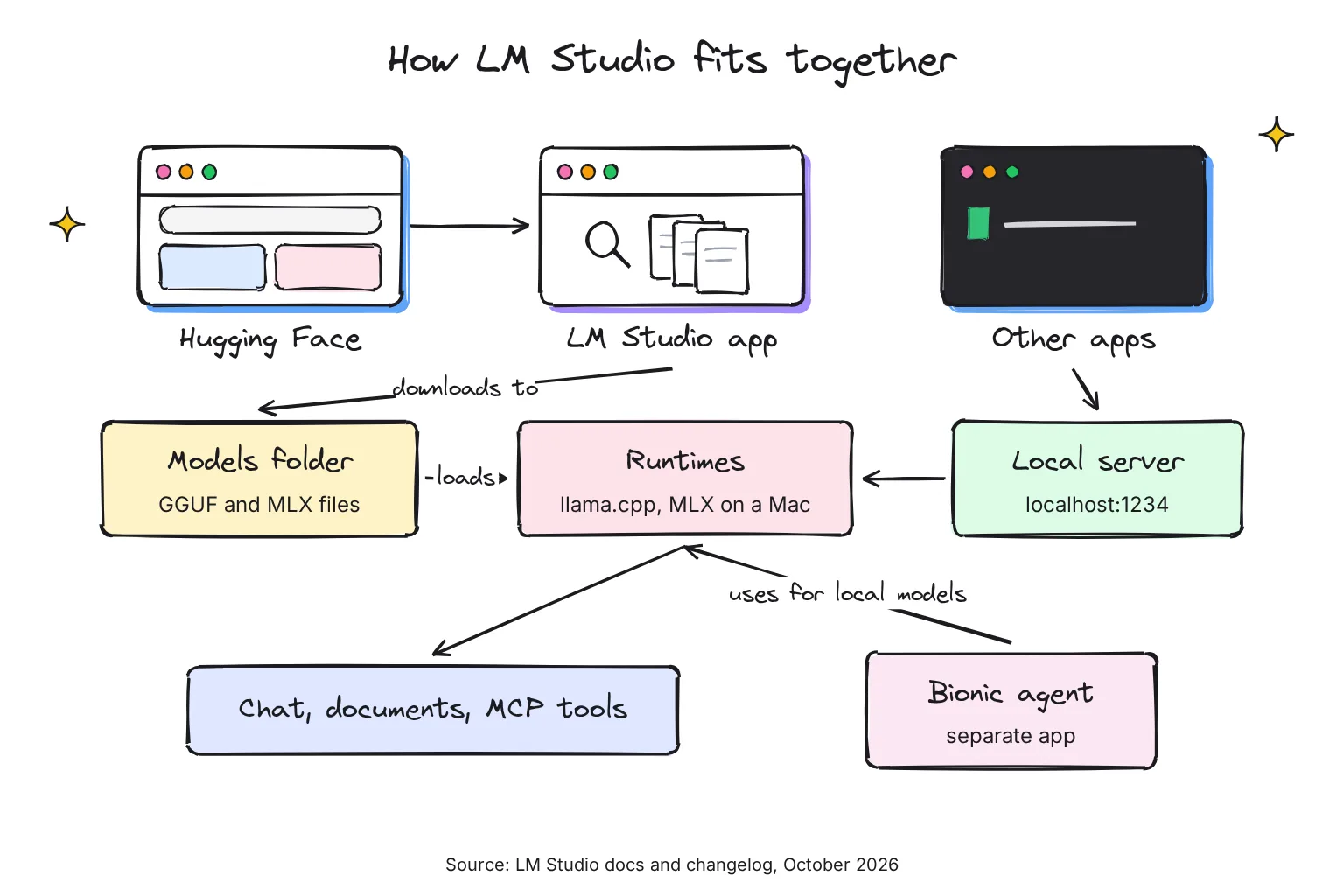
A model here means an open-weight large language model (LLM): a file of trained numbers, often several gigabytes, that you download once and run without the internet. LM Studio is made by Element Labs and runs those files with two engines: llama.cpp on every system, and Apple's MLX on Apple Silicon Macs.
Choose LM Studio if:
- You want one window for finding, downloading and chatting with models, with a User mode that shows only the chat interface and auto-configures everything.
- You want to ask questions about a PDF or Word file without uploading it anywhere.
- You may later want other apps, or coding tools, to use your local models through an API.
Look elsewhere if:
- You need open-source code: the app is closed source, and its terms call the code valuable trade secrets. Jan is the open-source alternative.
- You have an Intel Mac, which is not supported.
- You mainly want an engine in the background for tools such as Open WebUI; our LM Studio vs Ollama comparison explains when Ollama fits better.
On a Mac? Our guide to running LM Studio and MLX on a Mac covers requirements and the other options.
How do you download and install LM Studio?
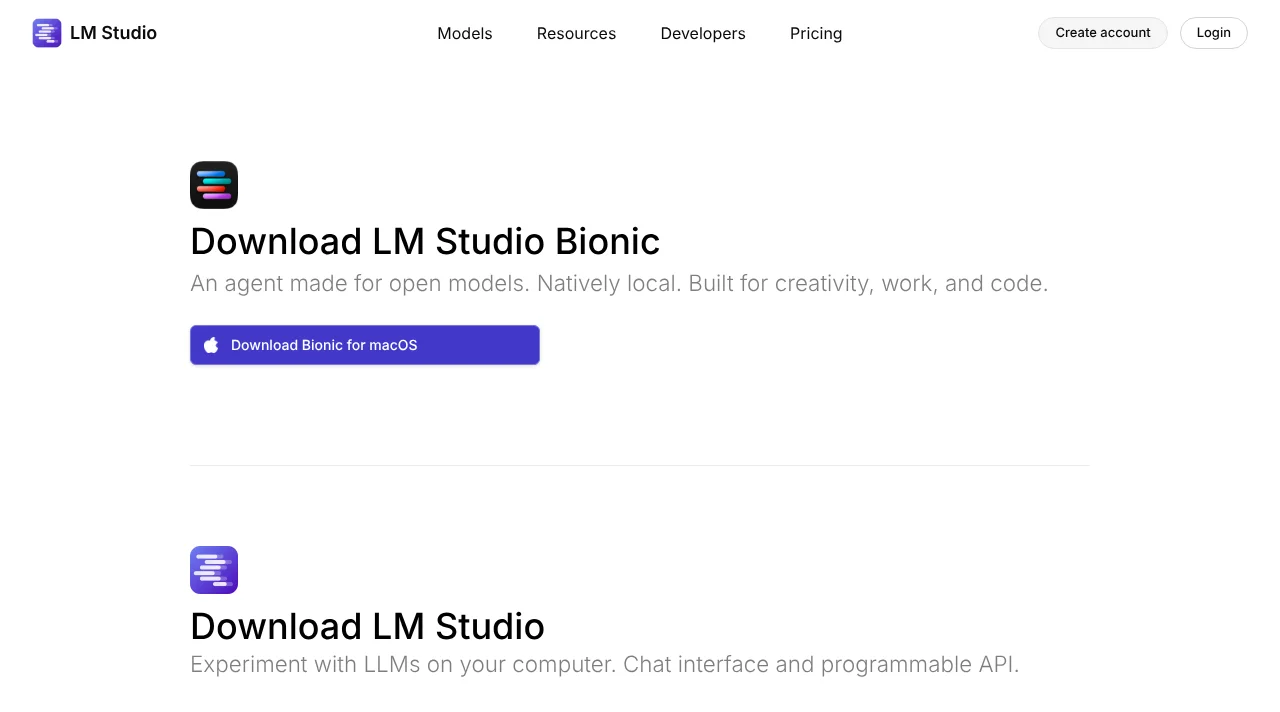
Go to lmstudio.ai/download. The page now leads with a large button for LM Studio Bionic, the maker's separate agent app, and puts Download LM Studio below it. The site picks your system for you, and on October 29, 2026 it offered version 0.4.27 for macOS, Windows and Linux, with Linux in two packages: AppImage and .deb.
- On a Mac: pick Download LM Studio for macOS, open the downloaded file and install it as you would any Mac app. You need Apple Silicon and macOS 14.0 or newer.
- On Windows: pick Download LM Studio for Windows and run the installer. On a standard Intel or AMD (x64) laptop the processor must support AVX2; Snapdragon X Elite ARM laptops are supported too.
- On Linux: pick the AppImage or the .deb package; Ubuntu 20.04 or newer is required. The changelog says version 0.4.22 fixed AppImage startup on systems without FUSE 2 and enabled in-app updates for both packages, although the offline docs still describe the Linux updater as in the works.
- Open it and download a first model. The Discover tab offers curated picks; the next section shows which suit 16GB.
The Linux notes come from the LM Studio changelog. If you want the engine without the window, for example on a home server, the download page also offers llmster, the headless background version of LM Studio, with one install command per system:
# Mac / Linux
curl -fsSL https://lmstudio.ai/install.sh | bash

# Windows (PowerShell)
irm https://lmstudio.ai/install.ps1 | iex
LM Studio system requirements in October 2026
These are copied from the official System Requirements page. Memory is the limit that matters most, because the whole model has to fit in RAM (or in a graphics card's own memory, called VRAM) while it runs.
| System | Supported | Memory | Notes |
|---|---|---|---|
| macOS | Apple Silicon (M1/M2/M3/M4), macOS 14.0 or newer | 16GB+ RAM recommended | 8GB Macs can work with smaller models and modest context sizes; Intel Macs are not supported |
| Windows | x64 and ARM (Snapdragon X Elite) | At least 16GB RAM recommended | AVX2 required on x64; at least 4GB of dedicated VRAM recommended |
| Linux | x64 and ARM64 (aarch64) | Not stated | Distributed as an AppImage (the download page also offers a .deb); Ubuntu 20.04 or newer required; versions newer than 22 are not well tested |
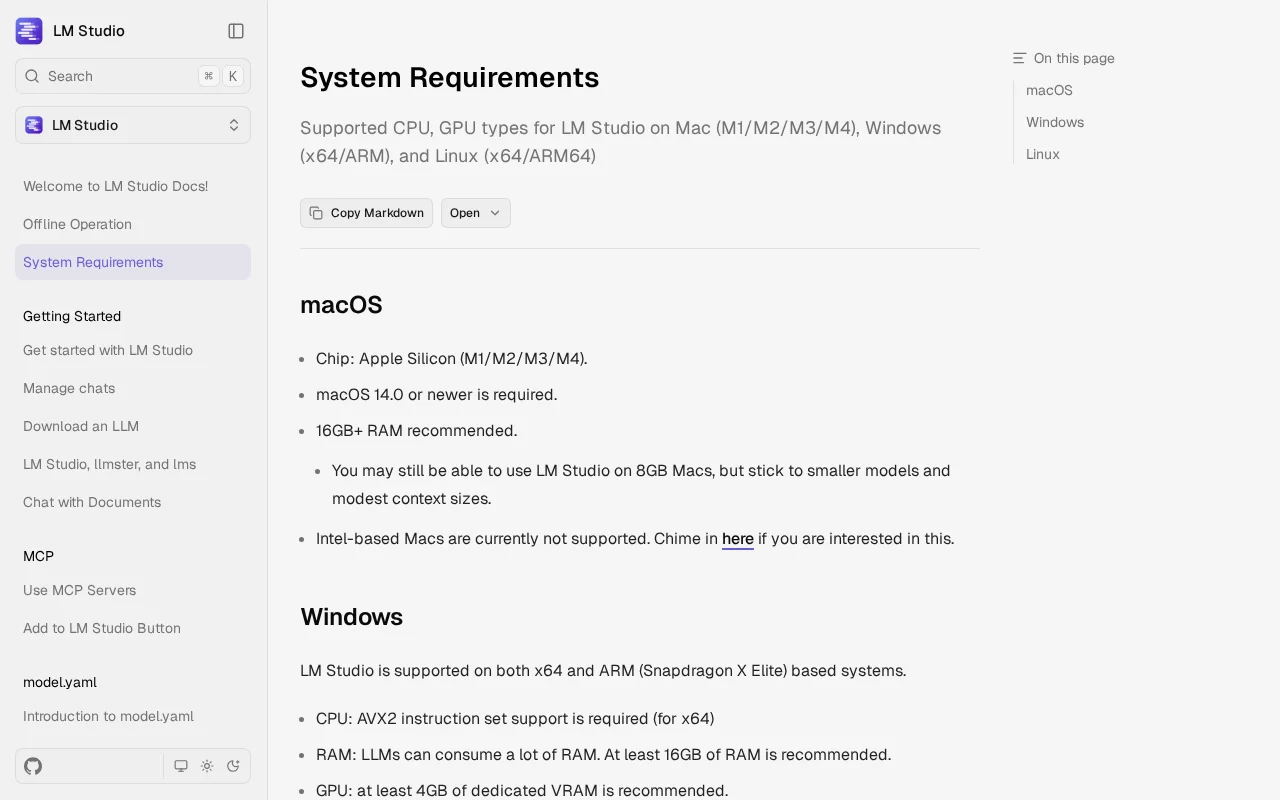
LM Studio publishes no hard minimum amount of RAM: 16GB is a recommendation, and smaller machines can run smaller models. Our reader passes on both machines. The Windows laptop without a graphics card falls short of the 4GB VRAM suggestion, which is a recommendation, not a rule: models run on the processor instead, just more slowly.
LM Studio or LM Studio Bionic: which should you download?
Bionic is a new, separate app from LM Studio, launched on July 16, 2026. The maker calls it the next generation of LM Studio, designed for agentic work, but you install it alongside LM Studio, not as an update. It is an AI agent: software that carries out multi-step tasks, such as editing files or code, rather than only answering. The maker says it is built for coding, research, and complex work with documents and files, using local models, models on another of your devices, or paid cloud models.
| LM Studio | LM Studio Bionic | |
|---|---|---|
| What it is | Chat app, model manager and local API server | Agent app for coding, documents and files |
| Models | Your own: on this computer, or on your other devices via LM Link | Local, from another device via LM Link, or LM Studio cloud |
| Price | Free, including at work | Free plan; Bionic+ $20 a month; Pro $100 a month |
| Needs an account | No | Only for cloud models and billing |
| Best first step for | Learning local AI, private chat, documents | Handing over multi-step tasks |
The two now work together: since LM Studio 0.4.26, Bionic uses LM Studio for local model inference while LM Studio is running; this needs Bionic 1.1.8 or newer.
Choose LM Studio first if:
- You are new to local AI and want to see what a model on your laptop can do.
- You want nothing to leave your computer.
- You want to connect other apps to your models later.
Add Bionic if:
- You want an agent to edit documents or code for you, not just chat.
- You are willing to pay for cloud models when a 16GB laptop is too small for the job.
How to find and download models that fit your RAM
Open the Discover tab (Cmd+2 on a Mac, Ctrl+2 on Windows and Linux). The built-in downloader searches Hugging Face, a public library of models, by keyword, by a user/model name, or by a pasted Hugging Face link. LM Studio also keeps its own model catalog, which on October 29, 2026 listed 57 models, 49 of them local.
You will see several files for one model with names such as Q3_K_S or Q8. These are quantizations: the same model compressed to fewer bits per number, trading a little quality for a smaller file. LM Studio's advice is to choose a 4-bit option or higher if your machine is capable enough. Most downloads use GGUF, the llama.cpp file format explained in our guide to GGUF and quant names; on a Mac, pick the MLX version when there is one.
LM Studio's own model pages list a minimum system memory for each model. These are the figures it gave on October 29, 2026:
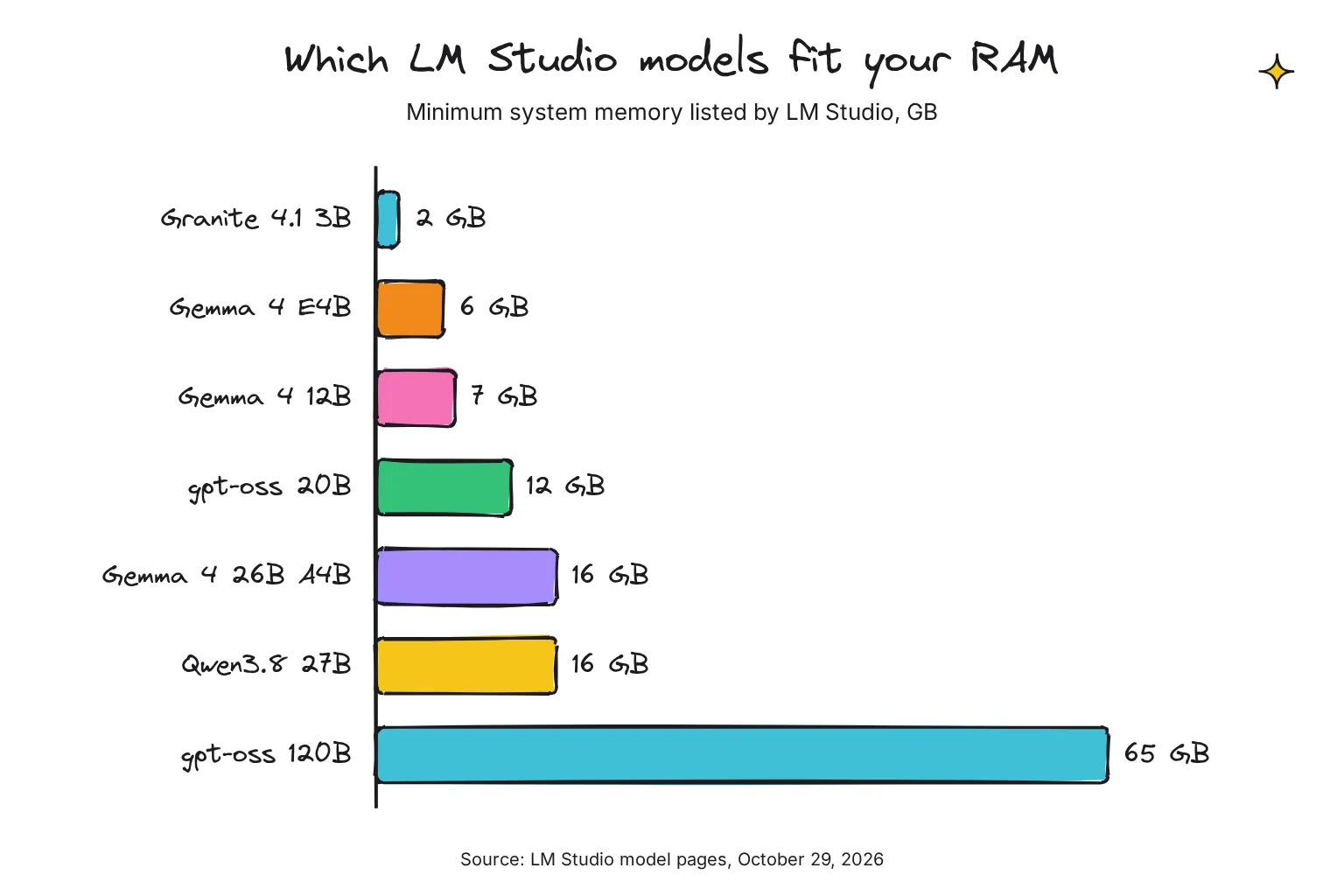
- IBM Granite 4.1 3B: 2 GB
- Google Gemma 4 E4B: 6 GB
- Google Gemma 4 12B: 7 GB
- OpenAI gpt-oss 20B: 12 GB
- Google Gemma 4 26B A4B: 16 GB
- Qwen3.8 27B: 16 GB
- OpenAI gpt-oss 120B: 65 GB
The "B" is billions of parameters, a rough measure of size and ability. A simple rule for the reader: on a 16GB machine, stay at or below about 12GB minimum memory, so the system and your browser still have room. Gemma 4 E4B is the safe start on the Windows laptop; the MacBook Air can try Gemma 4 12B or gpt-oss 20B. Longer chats and documents need extra memory on top, because the model holds the conversation (its context) in RAM too.
Can you use model files you already have?
Yes. LM Studio calls this sideloading, and the offline docs describe it for models procured outside the app. You can also move the models folder from the My Models tab, per the download docs, which helps if your main drive is small.
How to chat with a model in LM Studio
- Load the model. Go to the Chat tab, open the model loader at the top and pick the model you downloaded. Loading means allocating memory for the model's weights in your RAM.
- Start a chat. Click + or press Cmd+N on a Mac or Ctrl+N on Windows and Linux, and type as you would in ChatGPT.
- Organize. Group chats in folders, or drag two chat tabs side by side to compare models.
- Eject when done. Unload the model before opening another big app, so the memory comes back.
Two answers beginners often want: the model does not learn from your chats, and chats are stored as JSON files in ~/.lmstudio/conversations on Mac and Linux, or %USERPROFILE%\.lmstudio\conversations on Windows. Switch to Developer mode in Settings only when you want configurable load and inference parameters.
How to chat with your documents
Drag a .docx, .pdf or .txt file into the chat box and ask about it. If the document fits in the model's context, LM Studio adds it in full; if it is long, it switches to RAG (retrieval-augmented generation), which fishes out the passages that seem relevant and gives only those to the model.
RAG can miss things. LM Studio's own tip is to provide as much context in your query as possible, naming the terms you expect in the source. The docs say that all document processing is done locally. If documents are your main job, our guide to chatting with PDFs locally compares six free offline apps for it.
Is there an agent mode in LM Studio?
Not as a switch. The LM Studio docs I read on October 29, 2026 describe no setting called agent mode. Agent-style work comes in three forms:
- Tools in chat: connect MCP servers (next section) and a model that supports tool use can call them while answering, such as searching or fetching a page. The model catalog lets you filter for models with the Tool use label.
- Bionic: the separate agent app, which works inside projects, edits files and keeps automatic checkpoints so you can roll changes back.
- Code: the Python and TypeScript SDKs offer what the developer docs call tool calling and local agents, and coding agents such as Claude Code can talk to LM Studio through its Anthropic-compatible endpoint.
For the 16GB reader, tools in chat are the easy first step. A coding agent needs much more context than a chat; LM Studio's own tip for Claude Code is a model and settings with more than about 25k context length.
LM Studio MCP support and plugins, as documented
What MCP support means in LM Studio
MCP, the Model Context Protocol, is a standard way to plug tools into an AI app. Since version 0.3.17, LM Studio acts as an MCP host, supporting both local and remote MCP servers. You add them in one of two ways:
- Edit mcp.json: switch to the Program tab in the right-hand sidebar and click Install > Edit mcp.json, which opens the file in the in-app editor. LM Studio follows Cursor's mcp.json notation.
- Click an Add to LM Studio button: MCP makers can publish a one-click install link that starts with lmstudio://add_mcp.
The docs' example adds the Hugging Face MCP server, which searches models and datasets. Replace the placeholder with your own Hugging Face token. If your mcp.json already lists servers, the docs say to copy only the part inside "mcpServers", not the outer braces:
{
  "mcpServers": {
    "hf-mcp-server": {
      "url": "https://huggingface.co/mcp",
      "headers": {
        "Authorization": "Bearer <YOUR_HF_TOKEN>"
      }
    }
  }
}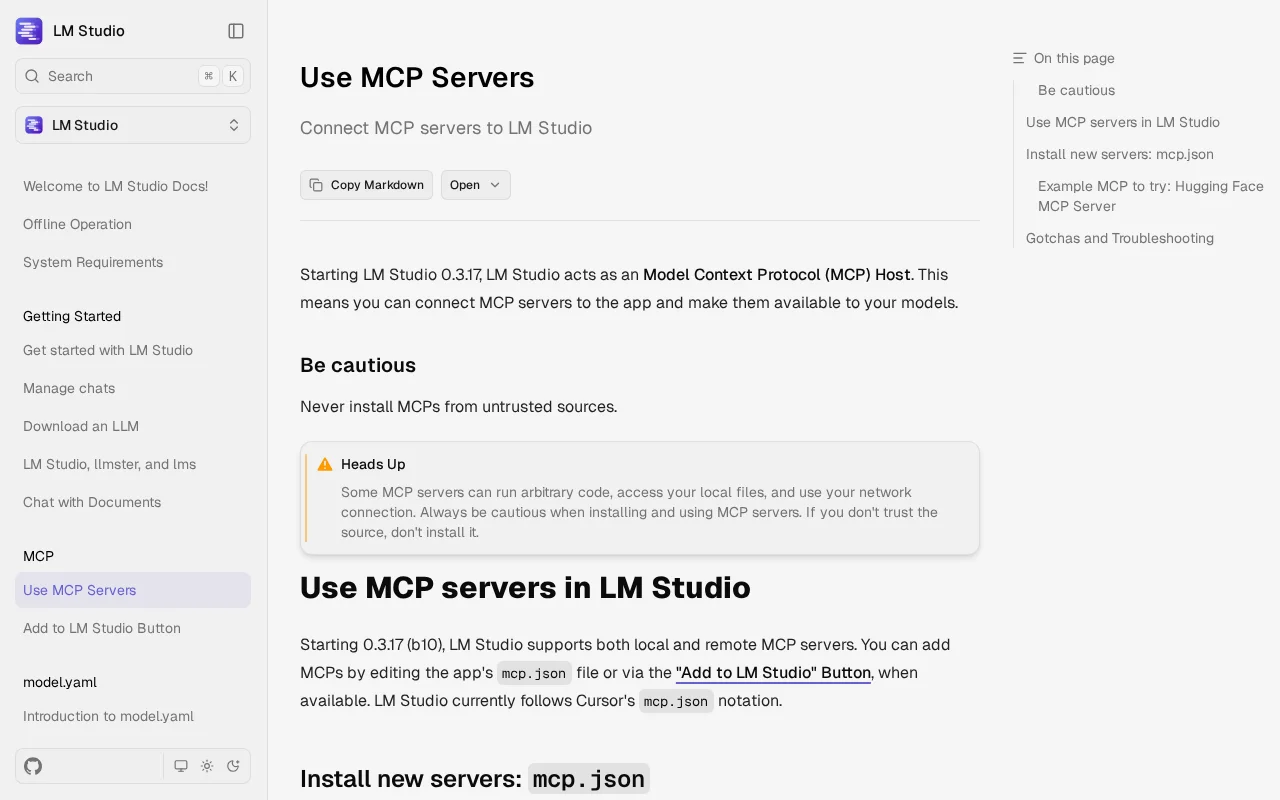
Two warnings from the docs matter. Some MCP servers can run arbitrary code, access your local files, and use your network connection, so install only from sources you trust. And servers designed for Claude, ChatGPT or Gemini may use excessive amounts of tokens, which can quickly bog down a small local model.
What LM Studio plugins are
Plugins are add-ons that provide hook functions that execute at specific points during operation. They are written in JavaScript or TypeScript and run on Node.js v22.21.1, which ships inside LM Studio; the docs say Python support is in development. There are three main kinds:
- Tools providers give the model tools it can use during generation, such as js-code-sandbox, which runs JavaScript or TypeScript in a sandbox using Deno.
- Prompt preprocessors change your message before the model sees it. Document chat itself is one: rag-v1, LM Studio's native RAG plugin, shipping built-in with the app.
- Generators replace the local model with another text source, for example an online model adapter.
Plugins are shared on the LM Studio Hub, where each page has a Run in LM Studio button. Writers use three commands from the lms tool: lms clone copies a plugin, lms dev runs one in development mode, and lms push publishes it to the Hub (the CLI docs mark the last two as beta). In the API, an installed MCP server counts as a plugin with an id such as mcp/playwright. Treat third-party plugins like MCP servers: they run code on your computer.
How to use the LM Studio local server and API
An API (application programming interface) is how one program asks another for an answer. LM Studio can serve your models to other apps on your own computer: open the Developer tab and toggle Start server, or use the lms command-line tool, which is included automatically with the app. The docs' example:
lms get openai/gpt-oss-20b
lms load openai/gpt-oss-20b
lms server start
The server then listens on http://localhost:1234. Its OpenAI-compatible endpoints include /v1/chat/completions, /v1/responses, /v1/embeddings and /v1/models, so most apps built for OpenAI's API work by changing the base URL to http://localhost:1234/v1. There is also an Anthropic-compatible /v1/messages endpoint and LM Studio's own REST API.
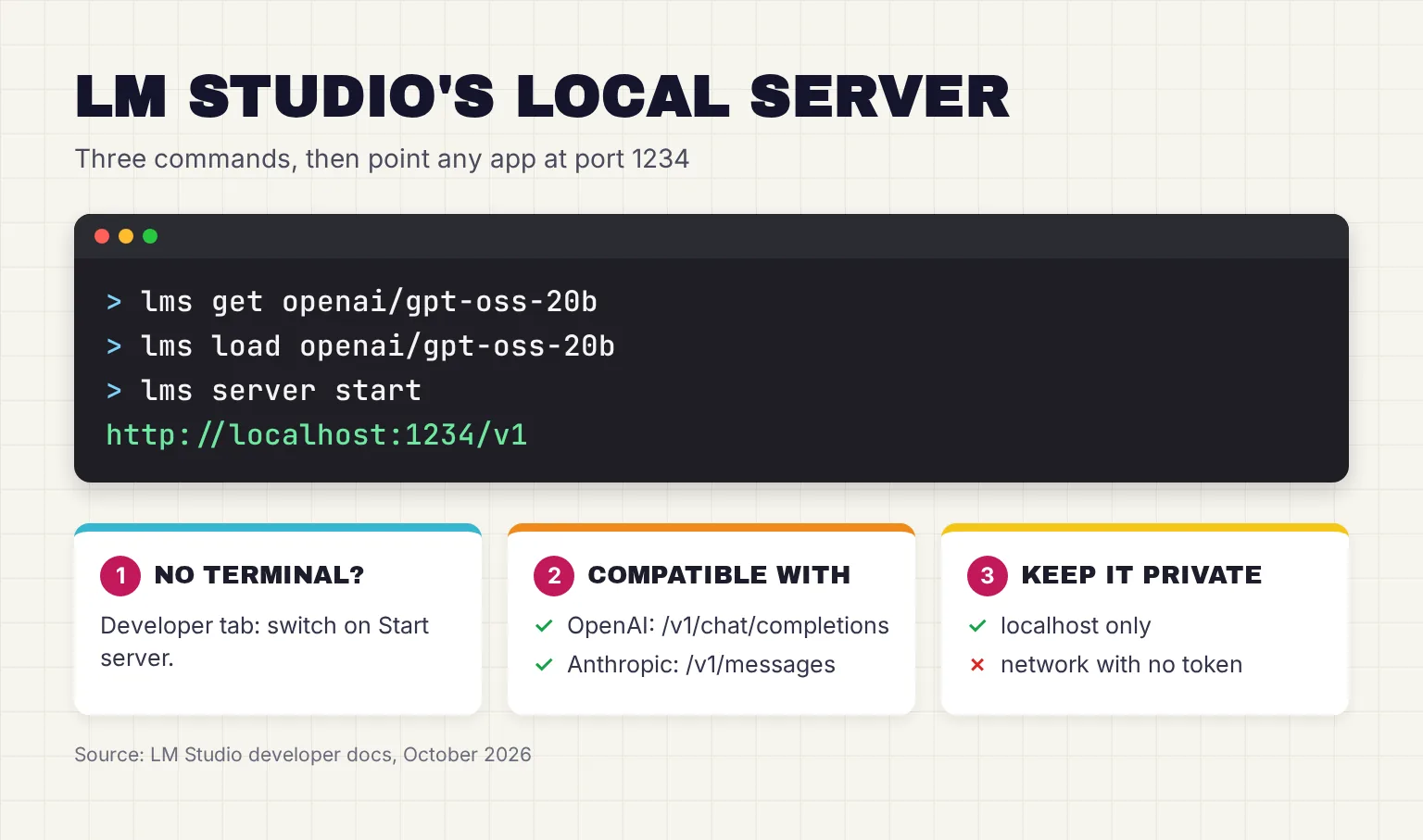
By default the API does not require authentication; you can require API tokens in Server Settings. If you switch on Serve on Local Network, other devices at home can use the models, but the docs warn that any bind other than 127.0.0.1 exposes the server beyond localhost and recommend turning on authentication. To reach your models from your own devices elsewhere, LM Link uses end-to-end encrypted links built with Tailscale.
Is LM Studio private, and does it work offline?
Yes, once models are downloaded. The offline docs say chatting, chatting with documents and running the local server need no internet, and that "nothing you enter into LM Studio when chatting with LLMs leaves your device." The privacy policy, effective June 2026, says the app does not include telemetry or user-specific tracking.
It still goes online for some jobs: searching for models (requests go to huggingface.co), downloading models, showing stats in the Discover catalog, downloading runtimes and checking for app updates. To work fully offline, download what you need first, then disconnect.
Before you drag in contracts or medical letters, read our checklist for before you upload a document. Two more privacy notes: model licenses vary, as the getting started docs point out, and Bionic's optional cloud models run in LM Studio's cloud, where, the privacy policy says, requests are processed transiently and are not retained by Element Labs or the providers involved.
How much does LM Studio cost?
LM Studio is free for local use, at home and, since July 8, 2025, at work, with no commercial license form. The terms of use, version August 23, 2026, allow personal and internal business use, and bar reselling it or running it as a hosted service.
The paid plans on the pricing page are for Bionic's cloud models, not the local app:
| Plan in October 2026 | Price | What it adds |
|---|---|---|
| Free | $0 | Bionic agent, local models with llama.cpp and MLX, offline voice transcription, LM Link for up to 5 devices, limited web search |
| Bionic+ | $20 a month | US-hosted open models such as Kimi K3, GLM 5.3 and DeepSeek V4 Flash, discounted bulk tokens, web search and page extraction |
| Pro | $100 a month | Everything in Bionic+, 5x usage limits, early access to new features |

Teams can share billing for cloud credits by creating an organization, and larger organizations can request an Enterprise plan; neither has a published price. Our reader does not need to pay anything.
What is the latest version of LM Studio?
The latest version is LM Studio 0.4.27, released on October 29, 2026, now at Build 2, and the download page offered it on all three systems that day. It is a maintenance release: steadier LM Link transfers, Radeon 8065S detection for the ROCm runtime (AMD's GPU computing software), chat Markdown fixes and new Mac memory controls for Splash models.

The previous release, 0.4.26 on October 13, added coexistence with Bionic and updated the llama.cpp runtime, per the changelog. The app updates itself on Mac and Windows. For Linux, the changelog says in-app updates arrived for AppImage and .deb in 0.4.22, but the offline docs still say the Linux updater is in the works, so check for updates on the download page if the app does not offer one.
LM Studio: who it is best for, and where it falls short
Best for: beginners on a Mac with Apple Silicon or a 16GB Windows or Linux PC who want private chat and document questions in one free app, and tinkerers who want a local API for other tools later.
Good at:
- Model discovery: Hugging Face search and downloads in one tab.
- Apple Silicon, with MLX alongside GGUF.
- Growing with you: MCP tools, plugins, a server compatible with OpenAI and Anthropic clients, and a headless version.
- Clear docs that state plainly what goes online.
Not so good at:
- Openness: the app is closed source.
- Old hardware: no Intel Macs, and x64 PCs need AVX2.
- Long or messy documents: RAG can miss passages, and the docs admit it sometimes needs tuning.
- Clarity of the brand: the download page now pushes Bionic first, which can confuse a newcomer.
My take: I think LM Studio is still the best first local AI app for most people, because search, download, chat and documents sit in one window, and its model pages list the memory each model needs. I would install LM Studio, not Bionic, first, and treat Bionic as a later add-on. If open source matters to you, Jan is the open-source alternative, and I would not start a new setup with GPT4All, which has had no release since February 2025. Our roundup of the best local AI apps puts all of them side by side.
Common questions about LM Studio
Is LM Studio free?
Yes. LM Studio is free to download and use for local models, both at home and at work, since July 8, 2025. Its paid plans, Bionic+ at 20 dollars a month and Pro at 100 dollars a month, add cloud models and web search for the separate Bionic agent app, not features of the local app.
Is LM Studio safe and private?
With local models, LM Studio keeps chats and documents on your computer, and its privacy policy says the app has no telemetry. It goes online to search for and download models, fetch runtimes and check for updates. MCP servers and plugins can run code, so install them only from sources you trust.
Does LM Studio work on an Intel Mac?
No. LM Studio needs an Apple Silicon Mac with an M1, M2, M3 or M4 chip and macOS 14.0 or newer, and its docs say Intel-based Macs are not supported. On Windows it supports x64 PCs with AVX2 and ARM laptops, and on Linux x64 and ARM64 systems.
What is the difference between LM Studio and LM Studio Bionic?
LM Studio is the chat app, model manager and local server. Bionic, launched on July 16, 2026, is a separate agent app for coding, documents and files that can use local models, models on another device or paid cloud models. When both run, Bionic uses LM Studio for local model inference.
Does LM Studio support MCP?
Yes. Since version 0.3.17, LM Studio acts as an MCP host for local and remote servers. You add them by editing mcp.json from the Program tab in the right-hand sidebar, or with an Add to LM Studio install link. The docs warn that some MCP servers can run code and access files.
How much RAM do I need for LM Studio?
LM Studio recommends 16GB of RAM on Mac and Windows. Its model pages list minimums such as 6 GB for Gemma 4 E4B, 12 GB for gpt-oss 20B and 65 GB for gpt-oss 120B. On an 8GB Mac, the docs advise smaller models and modest context sizes.
My verdict for a 16GB laptop: install LM Studio, not Bionic, first
For the reader of this guide, LM Studio is the right first download. It runs on both the Windows laptop and the MacBook Air, costs nothing, keeps your files local, and its model pages say how much memory each model needs before you download it. Start in User mode, leave MCP and plugins until chat feels familiar, and add Bionic only when you want an agent to do work for you.
Your next step: download LM Studio 0.4.27, get Gemma 4 E4B on Windows or the MLX build of Gemma 4 12B on a Mac, then drag in a document you know well and ask it three questions, so you can judge the answers yourself.
Sources
- Welcome to LM Studio Docs - LM Studio
- Chat with Documents - LM Studio
- Offline Operation - LM Studio
- LM Studio is free for use at work - LM Studio
- LM Studio Desktop App Privacy Policy - Element Labs
- User or Developer - LM Studio
- LM Studio Desktop App Terms of Service - Element Labs
- System Requirements - LM Studio
- Download LM Studio - LM Studio
- LM Studio Changelog - LM Studio
- LM Studio, llmster, and lms - LM Studio
- Bionic - LM Studio
- Introducing LM Studio Bionic: the AI agent for open models - LM Studio
- Download an LLM - LM Studio
- Model Catalog - LM Studio
- ibm/granite-4.1-3b - LM Studio
- google/gemma-4-e4b - LM Studio
- google/gemma-4-12b - LM Studio
- openai/gpt-oss-20b - LM Studio
- google/gemma-4-26b-a4b - LM Studio
- qwen/qwen3.8-27b - LM Studio
- openai/gpt-oss-120b - LM Studio
- Get started with LM Studio - LM Studio
- Manage chats - LM Studio
- LM Studio Developer Docs - LM Studio
- Claude Code - LM Studio
- Use MCP Servers - LM Studio
- Add to LM Studio Button - LM Studio
- Introduction to Plugins - LM Studio
- Introduction to Tools Provider - LM Studio
- lmstudio/js-code-sandbox - LM Studio Hub
- lmstudio/rag-v1 - LM Studio Hub
- lms: LM Studio's CLI - LM Studio
- Sharing Plugins - LM Studio
- Authentication - LM Studio
- LM Studio as a Local LLM API Server - LM Studio
- OpenAI Compatibility Endpoints - LM Studio
- Anthropic Compatibility Endpoints - LM Studio
- Serve on Local Network - LM Studio
- LM Link - LM Studio
- Bionic Pricing - LM Studio
- LM Studio Enterprise - LM Studio
- LM Studio 0.4.27 release notes - LM Studio