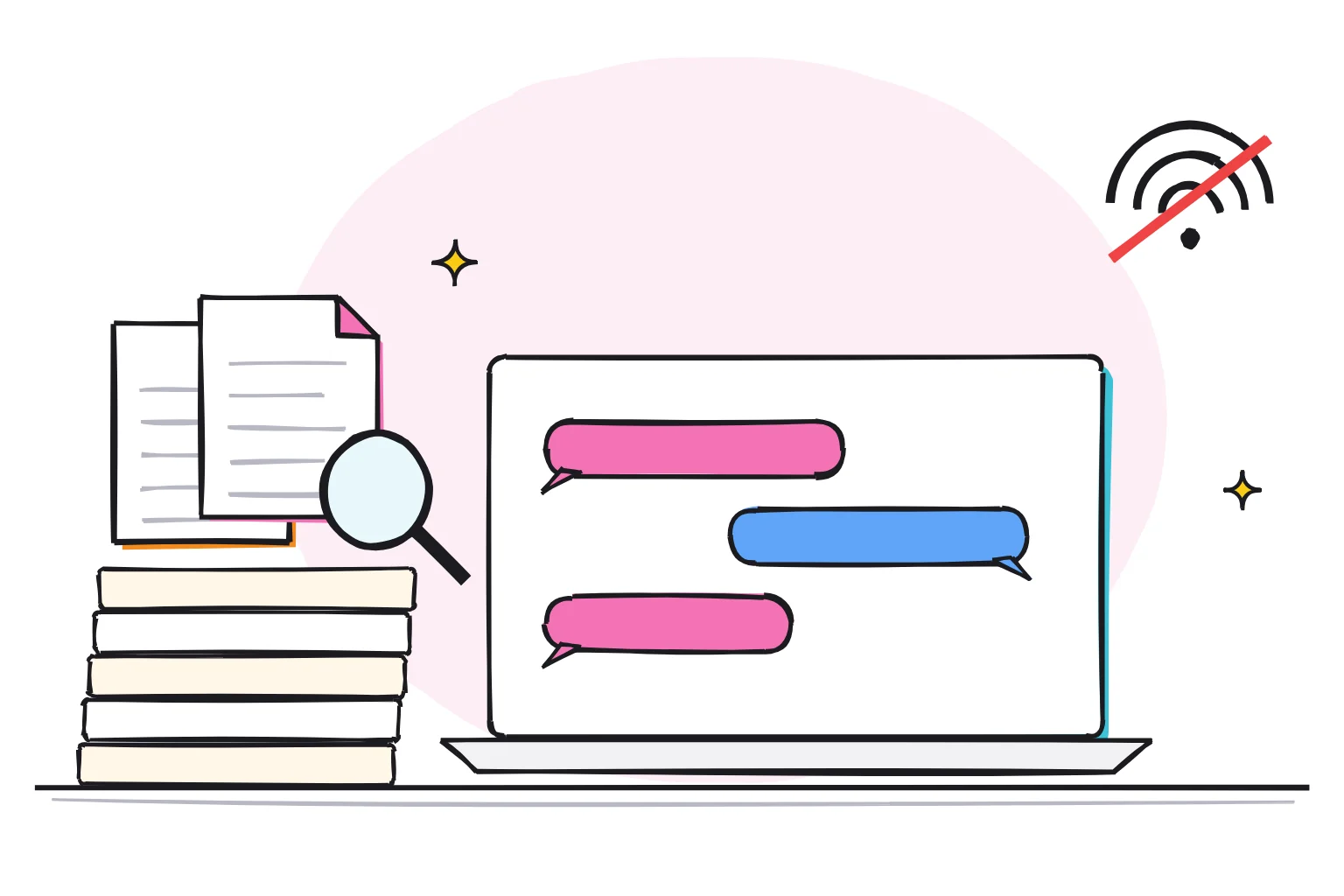
What is GPT4All? A free app that runs AI chat on your own computer
GPT4All is a free, open-source desktop app from Nomic that runs AI language models on everyday laptops, with no GPU or cloud service required. Its standout feature, LocalDocs, answers questions from a folder of your own files. It still works, but its last release came out in February 2025.
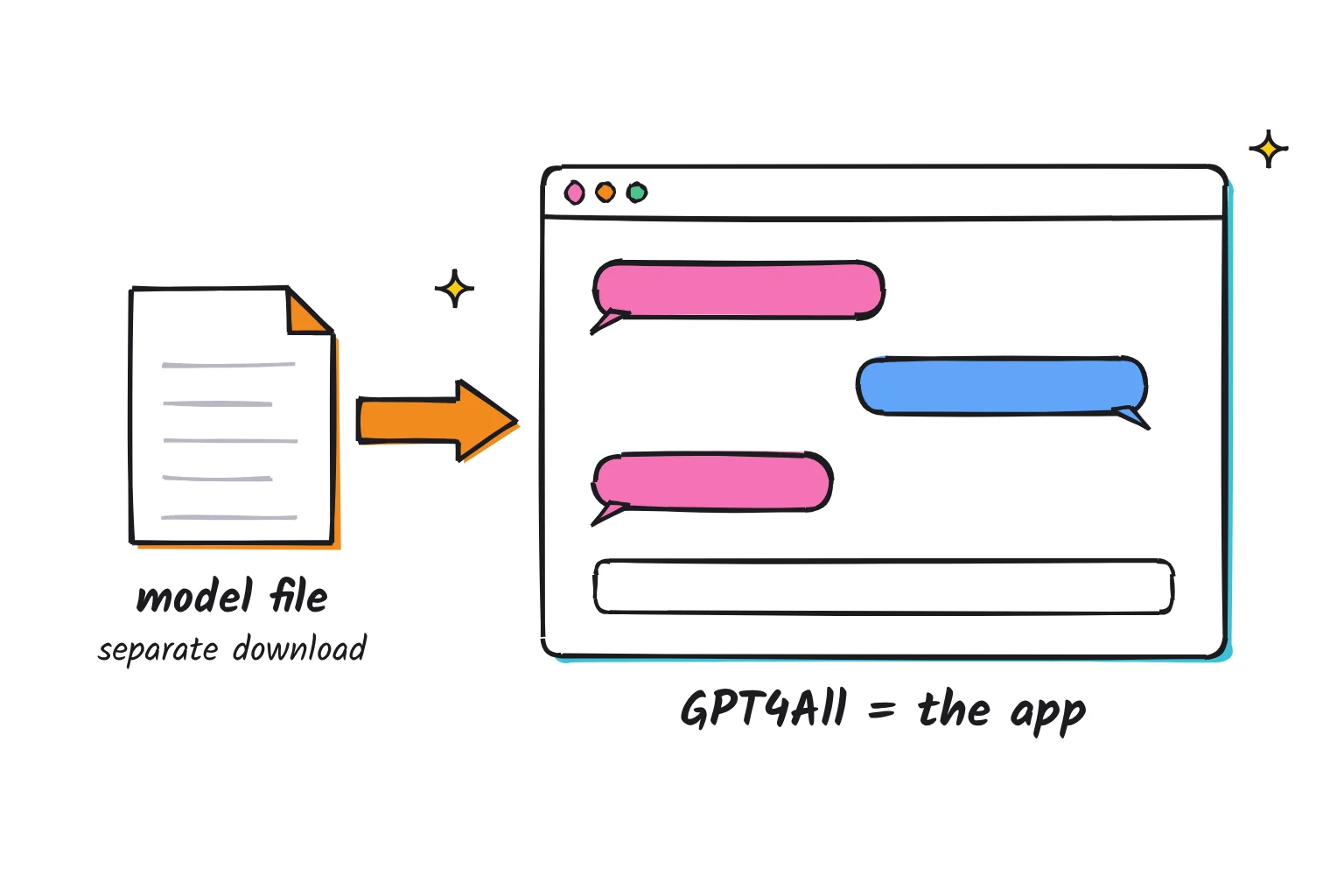
GPT4All is the app, not the AI itself. The model is a large file of trained weights that writes the answers, and the app loads it into memory and gives you a chat window. GPT4All runs models that have a llama.cpp implementation, usually files ending in .gguf, and you can swap models without reinstalling.
This guide follows one reader: someone with an ordinary Windows 11 laptop, 16GB of RAM and Intel graphics, who wants to ask questions about a folder of PDFs (a lease, appliance manuals, meeting notes) without uploading anything. That is the job GPT4All was built for, so the question is whether it still fits in late 2026.
Is GPT4All still being developed?
Not in any visible way. The latest version, v3.10.0, was released on February 24, 2025. The last change to the main code branch was a small build update on May 27, 2025. As of October 2026, that is about 20 months without a release.

Other signals agree. A July 2026 issue titled "IS this development dead?" has no reply from a maintainer. The newest catalog models are the DeepSeek-R1 distills added in January 2025. Nomic's homepage now sells a domain-specific AI platform for architecture, engineering, and construction firms and does not mention GPT4All.
That matters for models. GPT4All's copy of llama.cpp was last rebased on upstream code from September 2024, and its list of supported model architectures has no entry for Gemma 3, Qwen3 or gpt-oss. A March 2026 report shows a Qwen3.5 model failing with "Unsupported model architecture".
Nomic has not announced an end, and the official installers are still linked from the README. Treat GPT4All as frozen software: what it does today is all it will do.
GPT4All system requirements, and which model fits your RAM
GPT4All needs a 64-bit CPU with AVX or an Arm chip such as Apple Silicon, 8 to 16GB of RAM, and Windows 10, Ubuntu 22.04 or macOS Monterey 12.6 or newer. The Linux build is x86-64 only, and a graphics card is optional. From the official system requirements page:
| Part | Minimum | Recommended |
|---|---|---|
| CPU (PC) | Intel Core i3-2100 or AMD FX-4100 | Ryzen 5 3600 or Intel Core i7-10700 |
| RAM | 16GB (8GB for 3B models) | 16GB |
| GPU (PC) | Anything Direct3D 11/12 or OpenGL 2.1 capable | GTX 1080 Ti or RTX 2080, 8GB+ VRAM |
| OS (PC) | Windows 10 or Ubuntu 22.04 LTS | Windows 10 or Ubuntu 24.04 LTS |
| Mac | M1, 16GB, macOS Monterey 12.6 | M2 Pro, 16GB, macOS Sonoma 14.5 |
AVX is a set of math instructions inside the processor, and the FAQ says your CPU needs AVX or AVX2, a lower bar than some newer apps set. VRAM is a graphics card's own memory. GPT4All uses AMD and NVIDIA cards through its Nomic Vulkan backend, plus CUDA for NVIDIA cards as old as the GTX 750, but its Vulkan code skips Intel GPUs as unsupported. On our reader's laptop, everything runs on the CPU, only more slowly.
Quantization shrinks a model by storing each number in fewer bits. The catalog uses 4-bit "q4_0" files and lists a download size and RAM requirement for each model.
| Your RAM | First model to try | Download | RAM it needs |
|---|---|---|---|
| Under 8GB | Llama 3.2 1B Instruct | 0.77 GB | 2 GB |
| 8GB | Llama 3.2 3B Instruct | 1.92 GB | 4 GB |
| 16GB | Llama 3 8B Instruct | 4.66 GB | 8 GB |
| 32GB | DeepSeek-R1-Distill-Qwen-14B | 8.54 GB | 16 GB |
For the 16GB reader, Llama 3 8B Instruct is the pick, and the quickstart recommends starting with Llama 3. Skip Llama 3.1 8B Instruct 128k, which is not recommended on Windows or Linux without CUDA. Licenses vary, from non-commercial terms for Mini Orca to Meta's Llama community licenses and MIT for the DeepSeek distills, so check before commercial use.
How to download GPT4All and have your first chat
Install the app, then download and load one model. For the 16GB laptop, that is a download of about 5 GB.
- Go to the official GPT4All page and click Download for Windows. Buttons for macOS, Windows on Arm and Ubuntu sit beside it. Avoid third-party download sites.
- Run the installer and accept the default settings. If Windows shows a security prompt, approve it only if the file came from that page.
- Open GPT4All. The welcome screen asks two opt-in questions. Choose No to both (see below).
- Click
Start Chatting, thenInstall a Model, and download Llama 3 or another model from the list. Models save toC:\Users\{username}\AppData\Local\nomic.ai\GPT4Allby default, so check that drive has room. - Open Chats in the left menu and click the
Load · Llama 3 8B Instruct (default)button, which shows the name of the model you downloaded. - Type a prompt such as
Explain in three sentences what a security deposit is.The line under the message box shows the reply speed and the device doing the work. On our reader's laptop, expect it to say CPU.
Privacy settings to check on first launch
Both first-launch questions are opt-in. Answer No to each.

- Anonymous usage analytics. If enabled, the app sends events with your OS, CPU model, RAM, an IP address, a device ID and the name of the model you load. Not your chats, but more than you need to share.
- Datalake. This sends your conversations to Nomic's open datalake. The opt-in text says you should have "no expectation of chat privacy" and that anyone can download the data. Its switch in Settings is off by default.
- Three more switches to leave off. Use Nomic Embed API sends documents off-device. Remote models from OpenAI, Groq or Mistral mean your prompts leave your computer. The local API server is off by default, so leave it off unless another app needs it.
Some traffic happens anyway: the app fetches release notes and news from gpt4all.io, downloads catalog models from Hugging Face or gpt4all.io, and, if you decline analytics, sends its analytics service a one-time opt-out notice with a random device ID. Once a model is on disk, Nomic says no data leaves your machine.
Is it safe? The code is open source under the MIT license, and local chats stay local. The risk is neglect: two June 2026 security reports have no maintainer response. One flags release metadata and a fallback model download sent over plain HTTP, the other a local API server that accepts requests from any website while switched on. With the server off on a home network, both are low risk, but unfixed.
How to chat with a folder of PDFs using LocalDocs
LocalDocs indexes a folder on your computer, then adds the most relevant passages to the prompt when you ask a question. The indexing runs on your machine too.
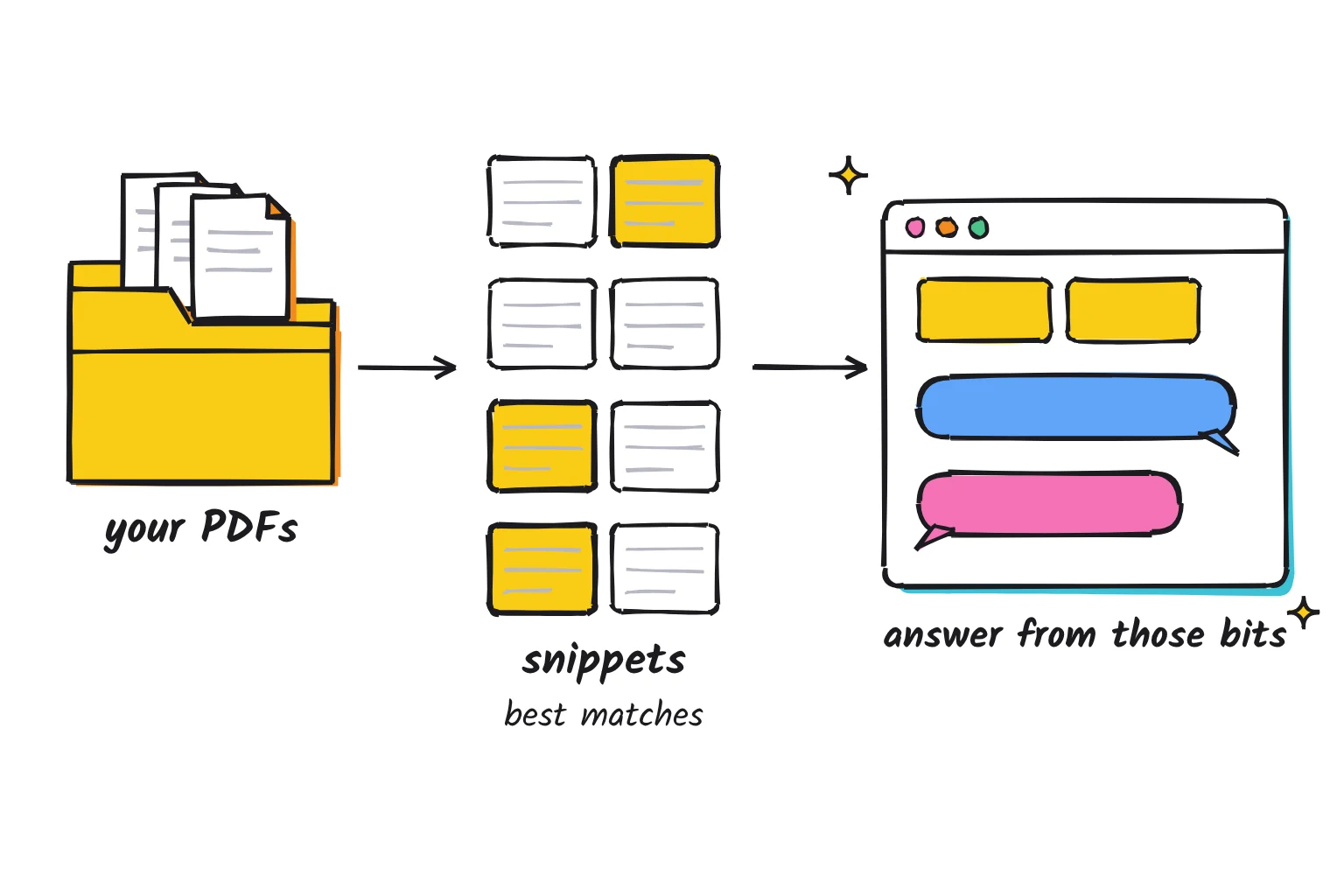
It uses embeddings: lists of numbers that capture what a passage means, so similar passages match even when the wording differs. The app indexes with Nomic's on-device embedding model, nomic-embed-text-v1.5, bundled for local use, adds a BM25 keyword search, and by default reads .docx, .pdf, .txt, .md and .rst files.
- Make a folder such as
Documents\AI-docsand copy in only the PDFs you want searched. Copies keep the originals safe and the index small. - Click LocalDocs in the left menu, then
+ Add Collection. - Name the collection, such as Household papers, and link it to your new folder.
- Click
Create Collectionand wait for the green Ready indicator. You can chat with finished files before the whole collection is ready. A big folder takes a while on a CPU. - Open a chat, click the LocalDocs button in the top-right corner, and tick your collection.
- Ask something specific, such as
From the lease in my docs, how much notice do I need to give before moving out?Then click Sources under the answer to see which files it used.
What LocalDocs can't do
It sees snippets, not whole documents. By default each snippet is 512 characters, with at most 3 snippets per prompt, so about 1,500 characters of your files reach the model per question. That suits "what is the warranty period?" and fails at "summarize this contract".
Raising those numbers helps only so far. The app warns that values too large may cause slow responses or none at all, because snippets share the context window, which defaults to 2048 tokens. Raise Context Length in the model's settings alongside, and rebuild the collection after changing snippet size.
Scanned PDFs are a blind spot. LocalDocs reads the text layer of each PDF page, so a photographed page gives it nothing; run text recognition on those first. Smaller models also sometimes ignore the snippets, so check important answers against the original. Our checklist before you give an AI app a document applies even when the app is local.
GPT4All vs LM Studio vs Ollama vs Jan for a beginner
All five are free for personal use and run models locally. For our reader, the differences are maintenance, document handling and open code.
| App | License | Runs on | Chat with documents | Latest release (October 2026) |
|---|---|---|---|---|
| GPT4All | MIT, open source | Windows 10+, macOS 12.6+, Ubuntu; AVX CPU | LocalDocs folder collections | v3.10.0, February 2025 |
| LM Studio | Free at home and at work, closed source | Windows (AVX2), macOS 14+ on Apple Silicon, Linux | Attach .docx, .pdf, .txt to a chat | 0.4.26, October 13, 2026 |
| Ollama | MIT, open source | Windows 10 22H2+, macOS 14+, Linux | Drag text or PDF files into the app | v0.40.11, October 2026 |
| Open WebUI (with Ollama) | Open WebUI License, BSD-style with a branding clause | Browser; installs with Docker or Python, or an early-alpha desktop app | Retrieval over uploaded documents | v0.12.4, October 25, 2026 |
| Jan | Apache 2.0, open source | Windows 10+ (AVX2), macOS, Linux | Project files, chunked and indexed | v0.8.7, October 2026 |
LM Studio is the most polished single app, and its October 2026 release updated its llama.cpp engine. Short documents go in whole and longer ones through retrieval. Its terms call its source code a trade secret, so it is not open source.
Ollama is a model engine with a simple desktop app for macOS and Windows, covered in our guide to running ChatGPT locally. Add Open WebUI for fuller document retrieval, at the cost of a Docker or Python install or an early-alpha desktop app.
Jan is the closest match to LocalDocs: files you upload to a Project are chunked and indexed for retrieval across every conversation in it. Like LM Studio, it needs AVX2, which Jan's docs date to Intel Haswell (2013+) and AMD Excavator (2015+), so older AVX-only PCs are where GPT4All still wins. For AnythingLLM, Open WebUI and the rest, see other ways to chat with a PDF locally.
Fixing common GPT4All problems
The model download fails or stalls
Check free space on the Download Path drive first. If progress freezes, one report says the downloader can hang on a stalled connection, and Cancel then Resume restarts it. If a model you found online shows "Error loading model", its weights may not be compatible with the backend, so stick to the built-in list.
Replies are very slow on CPU
Some slowness is normal on a CPU-only laptop like our reader's. Switch to Llama 3.2 3B, close heavy apps, and raise CPU Threads from its default of 4, since more threads can speed up responses. Keep LocalDocs snippets at the default. Our local vs cloud AI comparison explains what tokens-per-second figures mean.
GPT4All is not using my GPU
After a CPU fallback, the line under the message box gives a reason such as "GPU loading failed (out of VRAM?)" or "model or quant has no GPU support". The Auto setting only picks a GPU when it finds a dedicated card, so choose yours under Settings, Application, Device; NVIDIA owners can pick the CUDA entry. The Vulkan path covers Q4_0 and Q4_1 files, so a Q5 or Q8 file may fall back. If VRAM runs out, lower GPU Layers in the model's settings.
LocalDocs isn't finding answers
Confirm the collection says Ready and is ticked in this chat. Check the file type is in Allowed File Extensions and the PDF has selectable text. Use the document's own words and add "in the docs" or "from the provided files". If a 3B model keeps missing, try the 8B, and open Sources to see what it retrieved.
Common questions about GPT4All
Is GPT4All free?
Yes. GPT4All is free and open source under the MIT license, with no subscription. Local models cost nothing beyond disk space and electricity. The only paid option is connecting a remote provider such as OpenAI or Mistral with your own API key, and that provider bills you.
Is GPT4All safe?
The official app from Nomic's GPT4All page is open source and keeps local chats on your computer. Answer No to the datalake opt-in, which shares chats publicly, and keep the local API server off, because security reports filed in 2026 have no fix while development is paused.
Does GPT4All work offline?
Yes, once a model is downloaded. Chats and LocalDocs indexing run on your own computer, so you can disconnect and keep working. The app only goes online to fetch its model list, release notes and model downloads, to send a one-time opt-out notice if you decline analytics, or to reach a remote provider you added.
Is GPT4All still maintained?
Not actively. The last release, v3.10.0, came out in February 2025, and the main code branch has not changed since May 2025. Nomic has not announced an end, but newer model families such as Qwen3 and Gemma 3 are unsupported, and bug reports go unanswered.
GPT4All vs LM Studio: which is better?
For most beginners in late 2026, LM Studio, because it is updated often and runs current models, though its app is closed source. GPT4All is open source with simpler folder-based document search, but it has had no release since February 2025. For a folder of PDFs, Jan is the closer replacement.
What is the difference between GPT4All and Ollama?
Ollama is an actively updated model engine with a simple desktop app for Windows and Mac, and tools such as Open WebUI can run on top of it. GPT4All is a single chat app with built-in folder search. Ollama runs much newer models, while GPT4All is no longer developed.
Verdict: who should still use GPT4All in late 2026
GPT4All still does what it always did: free, private chat on an ordinary laptop, with the simplest folder-based document search here. It just won't improve. Expect no new model families, no security fixes, and no help if a Windows update breaks it.
- Keep it if you already have working LocalDocs collections and Llama 3 class answers are good enough.
- Choose it if your CPU has AVX but not AVX2, so LM Studio and Jan are ruled out.
- Use it for an offline machine where you want an MIT-licensed app that will never change under you.
For the 16GB reader starting fresh, I would pick Jan instead. It is open source, it shipped a release this month, its engine runs models on a plain CPU, and its Projects index uploaded PDFs much like LocalDocs. Our local AI apps hub covers it alongside LM Studio and Ollama, and our Jan AI guide walks through its setup and privacy settings.
Your next step: install Jan, create one Project, add three of your PDFs, and ask a question whose answer you already know. If it gets that right, move the rest of the folder in.
Sources
- GPT4All README - GitHub
- GPT4All releases - GitHub
- GPT4All MIT license - GitHub
- GPT4All changelog - GitHub
- Latest commit - GitHub
- Issue 3690 - GitHub
- Issue 3657 - GitHub
- Issue 3682 - GitHub
- Issue 3681 - GitHub
- Issue 3692 - GitHub
- System requirements - GitHub
- models3.json - GitHub
- llamamodel.cpp - GitHub
- ggml-kompute.cpp - GitHub
- network.cpp - GitHub
- StartupDialog.qml - GitHub
- download.cpp - GitHub
- embllm.cpp - GitHub
- mysettings.cpp - GitHub
- LocalDocsSettings.qml - GitHub
- database.cpp - GitHub
- chatllm.cpp - GitHub
- ChatView.qml - GitHub
- Quickstart - GPT4All Docs
- Models - GPT4All Docs
- LocalDocs - GPT4All Docs
- Settings - GPT4All Docs
- FAQ - GPT4All Docs
- Troubleshooting - GPT4All Docs
- GPT4All - Nomic
- Nomic homepage - Nomic
- Free for work - LM Studio
- System requirements - LM Studio
- Chat with documents - LM Studio
- LM Studio 0.4.26 - LM Studio
- App terms - LM Studio
- Ollama license - GitHub
- Windows - Ollama
- macOS - Ollama
- Ollama's new app - Ollama
- Ollama v0.40.11 - GitHub
- Open WebUI License - GitHub
- Quick Start - Open WebUI
- RAG - Open WebUI
- Open WebUI v0.12.4 - GitHub
- Open WebUI Desktop README - GitHub
- Jan README - GitHub
- Jan license - GitHub
- Windows installation - Jan
- File upload - Jan
- llama.cpp engine - Jan
- Jan v0.8.7 - GitHub